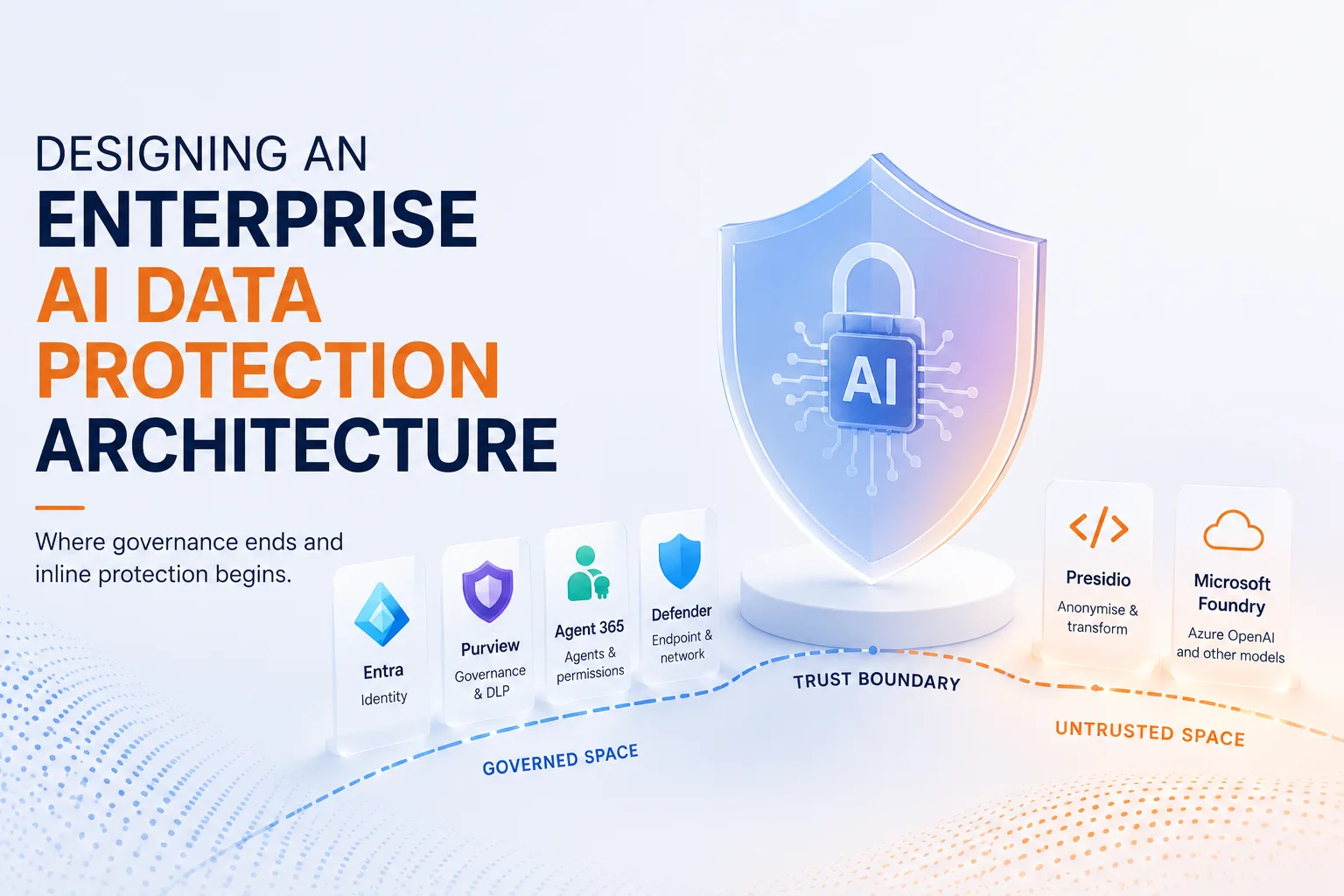
Where Entra, Purview, Agent 365 and Presidio each belong, and the one line that ties them together.
| TL;DR Can Microsoft Purview protect Azure OpenAI or custom AI applications on its own? Not entirely. Purview now inspects AI prompts, but only where a human and a managed browser sit in the path. Your own apps, RAG pipelines and agents cross the trust boundary without it. Microsoft Presidio adds runtime anonymisation inline, before the prompt leaves, and the two are complementary. Map every control to the layer it can actually reach.. |
Most organisations believe Microsoft Purview protects every AI interaction. It does not. Not because Purview lacks capabilities, but because enterprise AI no longer lives only in browsers and Microsoft 365.
Here is what that looks like in practice. Take a financial services firm with a strong AI posture: Copilot governed, sensitivity labels in place, DSPM for AI reporting clean. Now picture a small internal app the data team built over a weekend. It reads customer records, writes a tidy prompt, and calls a model endpoint directly. Full names, account numbers, the lot, straight past every control they trust. Nothing is misconfigured. The data simply travels a path no control was placed on.
In our previous post we set out the AI governance operating model for Microsoft 365: see it, control it, prove it. That answers who may use AI and how you evidence it. This answers the architect’s question that comes next: how do you design the system so the controls sit in the path of the data? Governance decides what is allowed. Architecture decides whether it is enforceable.
The AI request lifecycle
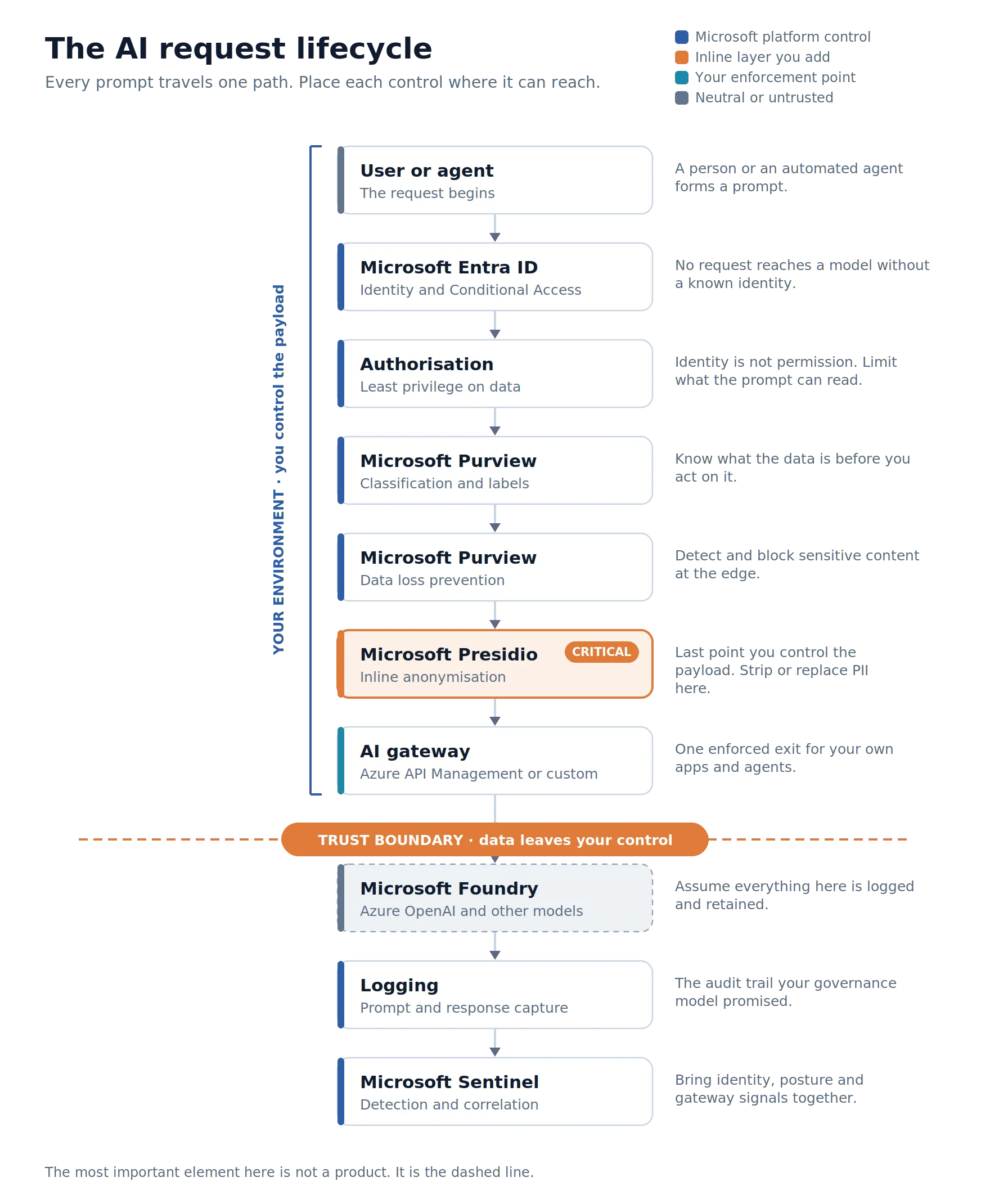
Every request, from a person or an agent, travels one path. Identity in Entra decides who may proceed. Authorisation limits what the prompt can read. Purview classifies the data and applies DLP at the edge. Presidio then anonymises the payload inline, the last point it is still yours. Your AI gateway gives that traffic one enforced, logged exit before it reaches the model in Microsoft Foundry, whether Azure OpenAI or another provider, and Sentinel correlates the trail on the way back.
The most important element in that diagram is not a product. It is the dashed line. Everything above it you control. Everything below it you do not.
Why Purview alone is not enough
Purview is more capable than most assume, and it belongs at the top of the stack. DSPM for AI now reaches into the prompt itself: it detects sensitive information in prompts sent to third party AI sites such as ChatGPT and Gemini, through the browser extension or a network integration.
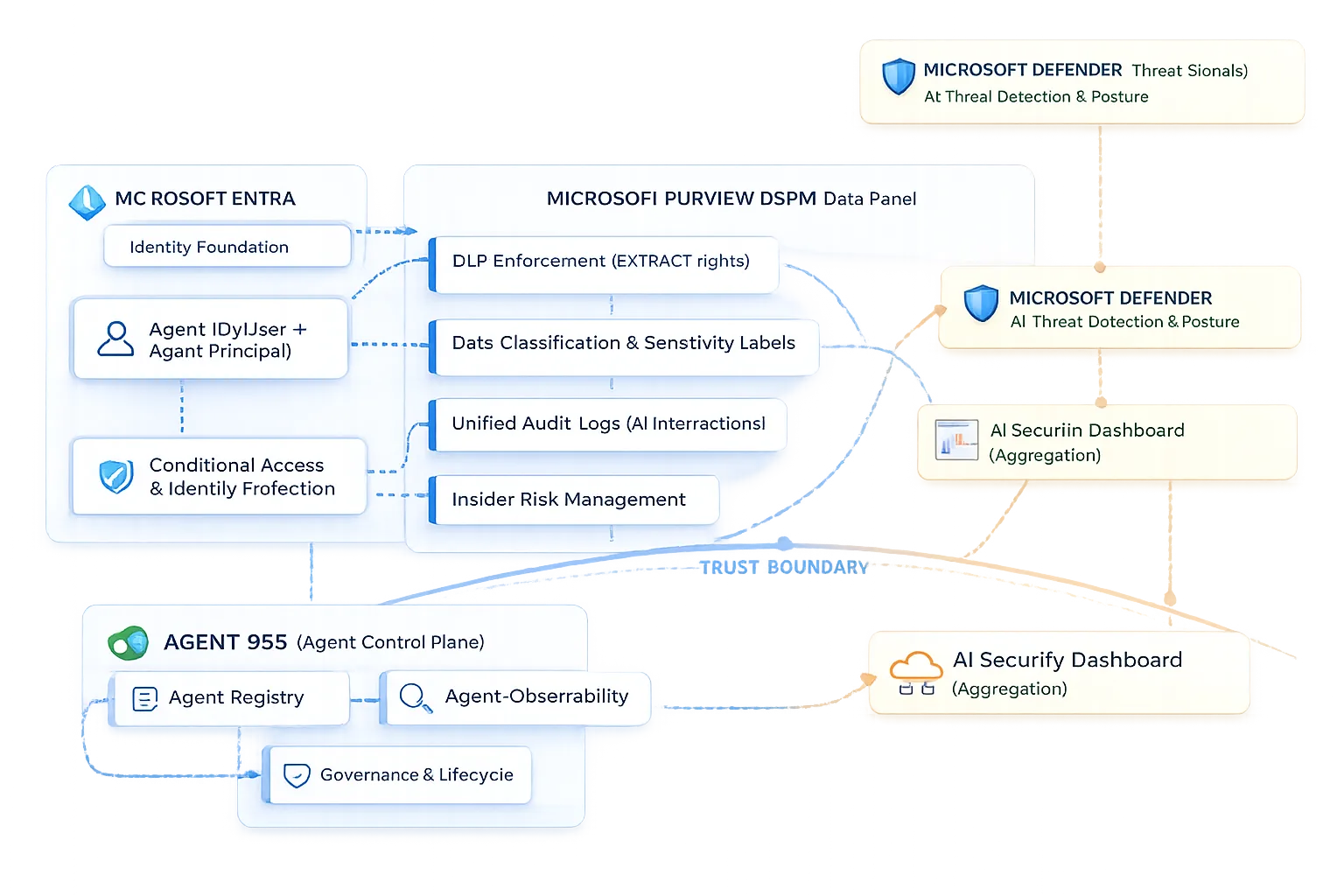
But its reach depends on where the interaction happens. Three scenarios make the boundary concrete.
A user pastes personal data into Copilot or ChatGPT on a managed device. Purview DSPM for AI sees it and DLP can warn or block. Purview holds the line, and Presidio is not needed.
Your own app sends customer records to Azure OpenAI. There is no browser and no endpoint event. Purview can audit the app if it is registered, but it does not inspect or transform the payload in flight. Here Presidio anonymises the data inline, before the call. Purview alone does not cover this.
An agent processes thousands of documents automatically. Classification labels the source files, but a label does not strip personal data out of the prompt the agent assembles at runtime. You need runtime anonymisation, not just classification.
The pattern is clear. The further the work moves from a human in a managed browser, the less Purview can reach. In those paths it can still audit, but it does not rewrite the payload. Detecting is not transforming.
Side by side, the split is straightforward. Presidio, the open source toolkit we come to shortly, fills exactly the gaps Purview leaves.
| Capability | Purview | Presidio |
|---|---|---|
| Data classification and sensitivity labels | yes | no |
| DLP at browser, endpoint and network | yes | no |
| Posture and discovery of AI usage | yes | no |
| Detect PII in free text | yes, to govern | yes, to transform |
| Anonymise or pseudonymise before the LLM call | no | yes |
| Reach server side and agent paths with no browser | partial | yes |
| Custom recognisers in your own pipeline | partial | yes |
| Audit, eDiscovery and retention | yes | no |
Agents move the line, they do not remove it
Agent 365 shipped in May 2026 as a control plane for enterprise agents: identity, permissions, audit and traffic inspection through Entra. If you build agents, govern them there. But governance is not data minimisation. Agent 365 tells you which agent did what, with which rights. It does not strip the personal data out of the prompt before it reaches the model. The control plane governs the agent. It does not sanitise the payload.
The inline layer, and why anonymisation earns its place
This is where Microsoft Presidio fits. It is an open source toolkit that analyses text for personal data and anonymises or pseudonymises it before the prompt leaves your environment. It runs inside your app or gateway, not on the endpoint, so it works regardless of device or caller. It sits on exactly the path Purview cannot reach.
Why anonymise before the model sees the prompt? Five reasons that hold up in a CISO review:
- The model never receives the real identifiers, so a provider log, a retention window or a prompt injection cannot leak what was never sent.
- It satisfies data minimisation and privacy by design under GDPR Article 25, and supports the data governance expectations the EU AI Act places on higher risk systems.
- You keep using powerful external models without exporting raw personal data.
- Pseudonymisation is reversible, so you can map the values back for the user; anonymisation suits logging and analytics.
- Less sensitive data in the payload means a smaller blast radius if anything downstream is compromised, which also strengthens your NIS2 risk management posture.
Match the control to the layer
| Layer | Component | Why it sits here |
|---|---|---|
| Identity | Entra ID, Conditional Access | Who and what may reach AI |
| Classification | Purview Information Protection | Know the data before you act |
| Data loss prevention | Purview DLP | Block sensitive content at the edge |
| Posture and discovery | Purview DSPM for AI | See shadow AI and prove oversight |
| Agent oversight | Agent 365 | Identity and audit for agents |
| Inline protection | Presidio | Replace PII before the boundary |
| Gateway enforcement | Azure API Management or custom | One controlled exit |
| Monitoring | Microsoft Sentinel | Detect, correlate and evidence |
Five design principles
- Classify before you protect.
- Minimise before you transmit. The cheapest data to protect is the data you never send.
- Treat every prompt as untrusted.
- Separate governance from enforcement. Purview and Agent 365 say what should happen; your gateway and Presidio make it happen.
- Assume the model endpoint is untrusted.
Which path is this request on?
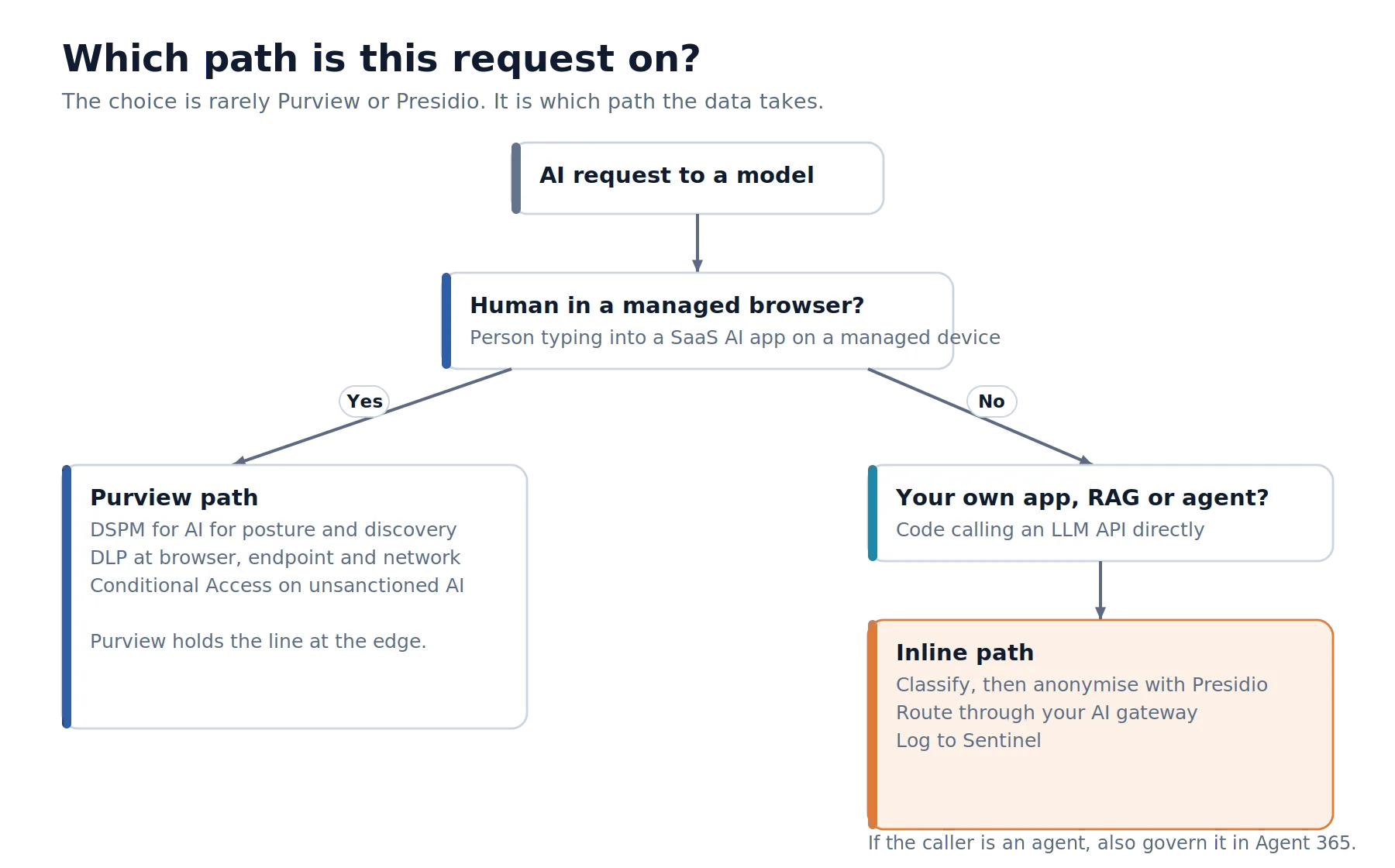
If a person is typing into a SaaS AI app on a managed device, you are on the Purview path: DSPM for AI, DLP at the edge, Conditional Access. If it is your own app, a RAG pipeline or an agent calling a model API, you are on the inline path: classify, anonymise with Presidio, route through your gateway, log to Sentinel. Most enterprises run both paths at once. The mistake is assuming one covers the other.
How I would design it
Every enterprise architecture should begin by drawing the trust boundary first, and only then selecting technologies. Products change. Architectural boundaries rarely do.
Start where the data lives. Get Purview classification and DSPM for AI working first, because every later control depends on knowing what is sensitive. Then draw the trust boundary for every workload and mark where data leaves your control. For Copilot and managed browsers, Purview holds that line. For your own apps and agents it does not, and that is where Presidio goes, on the machine paths only, inside the gateway or the app. Give that traffic one exit through an AI gateway, where prompt validation, token limits and Presidio live together, and send everything to Sentinel.
I would not wait for Microsoft to close the inline gap, and I would not treat Presidio as a rival to Purview. The native stack governs, discovers and blocks at the edge superbly. It does not yet transform the payload on the machine paths. Until it does, that layer is yours to own, and owning it well is what separates a genuinely governed enterprise from one that merely looks compliant.
The takeaway
Map every control to the layer it can reach, draw the one line where your data stops being yours, and put an inline data protection layer wherever the native stack stops: inside your own apps and agents, before the prompt ever leaves.
The strongest AI architectures are not the ones with the most security products. They are the ones where every control sits exactly where the data flows.
Further reading
- AI governance in Microsoft 365: see it, control it, prove it
- Microsoft 365 Tenant Configuration Management: Why Configuration Drift Matters
- Group Source of Authority: The Hidden Governance Weakness in Microsoft Entra
- Microsoft Purview Data Security Posture Management for AI
- Microsoft Presidio documentation