Microsoft Entra ID Account Recovery: The Missing Link in Passwordless Identity
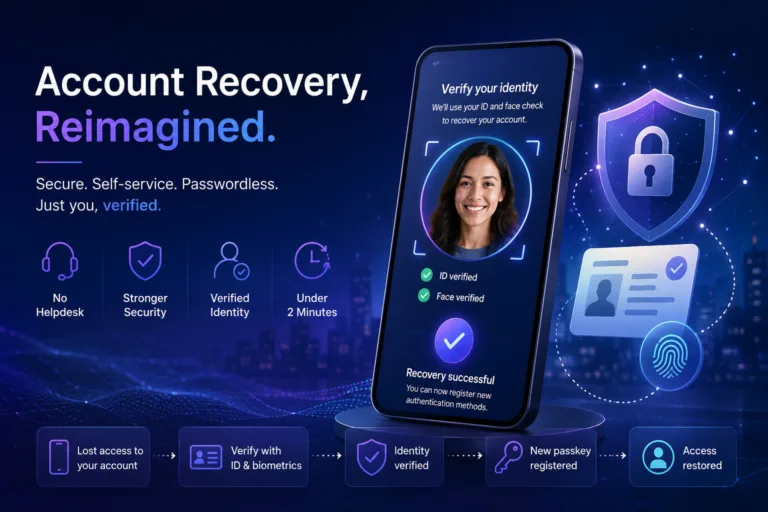
Microsoft Entra ID Account Recovery explained with practical risks, governance impact and next steps for Microsoft security, identity and cloud teams.

Practical Microsoft security, identity and governance insights

Practical Microsoft security, identity and governance insights
Microsoft Entra ID Account Recovery explained with practical risks, governance impact and next steps for Microsoft security, identity and cloud teams.

Conditional Access is the backbone of Zero Trust in Microsoft Entra ID, yet real world attacks increasingly demonstrate how it can be bypassed. From device and token abuse to built in exclusions and misunderstood session controls, attackers exploit gaps that many organisations assume are protected.
Triggered by Microsoft’s upcoming change in February 2026, where session revocation will finally behave as expected during incident response, this blog analyses observed Conditional Access bypass techniques from real incidents in 2024 and 2025. More importantly, it explains why a strong security baseline is essential to compensate for what Conditional Access was never designed to solve alone.

Many organisations assume Microsoft Entra ID handles guest users securely by default—but it doesn't. In this post, we uncover the top 5 common mistakes in guest access management, from excessive directory visibility to perpetual access without lifecycle controls. Learn how to lock down your tenant with practical fixes, ensuring secure B2B collaboration without the risks.
Discover how to implement Microsoft Defender for Cloud’s dedicated Defender for Servers plan to secure your server workloads across on-premises, hybrid, and multi-cloud environments. This guide explains why Defender for Cloud is the superior choice over Defender for Endpoint for server security, offering advanced threat detection, compliance monitoring, and streamlined management. Follow our step-by-step instructions to onboard servers, configure policies, and set up vulnerability assessments for both Windows and Linux systems, ensuring robust protection against evolving cyber threats.

In an era where sophisticated cyber threats and performance demands converge, Microsoft Defender Antivirus (MDAV) rises to the challenge with advanced hardware acceleration. By integrating Intel Threat Detection Technology (TDT), MDAV enhances endpoint protection while maintaining efficiency. Features like Accelerated Memory Scanning and Cryptojacking Detection offload resource-intensive tasks to the GPU, ensuring robust security without straining system resources.
Explore how to optimise these cutting-edge features using Microsoft Intune, from enabling Intel TDT and File Hash Computation to deploying best practices for consistent performance and protection. This guide is your roadmap to leveraging hardware-accelerated cybersecurity in a futuristic, secure IT environment.

Effective cloud governance is critical in today’s digital landscape. Organisations must tackle risks, ensure compliance, and design resilient architectures to meet directives like NIS2. This guide outlines six essential steps to achieve robust cloud governance using Microsoft tools like Azure Service Health, Microsoft Defender for Cloud, and Azure Backup. From mitigating concentration risks to preparing exit strategies, learn how to enhance your governance framework and protect your operations.
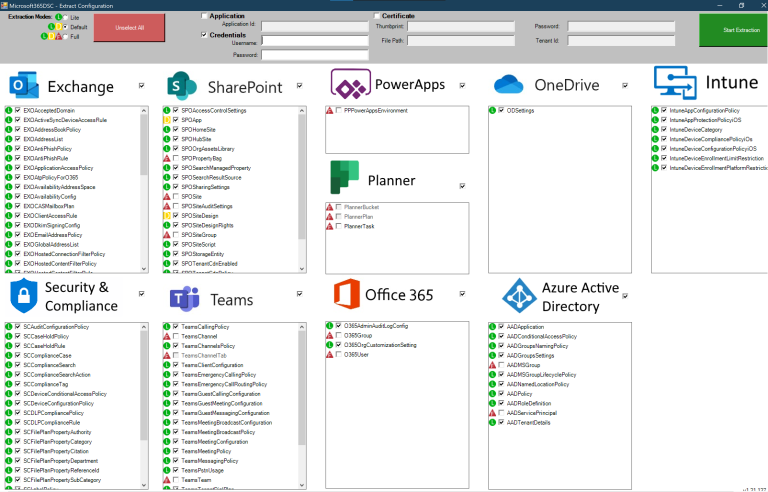
Discover how Microsoft 365 Desired State Configuration (DSC) empowers IT professionals to automate, monitor, and maintain tenant configurations with ease. This blog dives into the benefits of DSC, including drift prevention and multi-tenant synchronization, while providing a step-by-step guide for deployment. Learn from real-life examples covering Exchange Online, Intune, and Entra, and explore additional resources to streamline your configuration management. Whether you're using DSC, Azure Runbooks, or Terraform, find the tools to optimize your automation strategy. Read on to master tenant management!

Navigating the world of cybersecurity can feel like learning a new language, with acronyms and jargon around every corner. From tools like SIEM (Security Information and Event Management) and WAF (Web Application Firewall) to frameworks like NIST (National Institute of Standards and Technology) and certifications such as CISSP (Certified Information Systems Security Professional), understanding these terms is essential for protecting your organisation. This practical guide decodes the most common cybersecurity acronyms, covering tools, metrics, certifications, attack types, and even fun terms like PICNIC (Problem in Chair, Not in Computer). Whether you’re a professional or just curious, this guide will help you speak the language of cybersecurity with confidence.

Learn how to implement Microsoft Entra Global Secure Access (GSA) for secure internet access. This step-by-step guide covers everything from activating GSA for your tenant to configuring web content filtering, security profiles, and conditional access policies. Understand the key differences between GSA and Security Service Edge (SSE) and how to improve your organisation's security posture. Plus, find out about licensing updates and how to enhance Microsoft Entra ID capabilities.

Enhance your security with Microsoft Defender for Cloud’s improved File Integrity Monitoring (FIM). This powerful tool detects unauthorized changes to critical files and system configurations in real-time, ensuring compliance with regulations like NIS2 and PCI-DSS. Learn how FIM integrates with Microsoft Defender for Endpoint, provides real-time alerts, and helps safeguard your critical assets with proactive threat detection.