
| TL;DR – OneDrive Photos can appear as part of the existing OneDrive installation and surface local images even when no Microsoft account is signed in. – After sign-in, AI search, OCR and optional facial grouping become available, introducing additional processing of photo content and face-derived data. – This is not proof of a GDPR violation, but it is a clear privacy and governance risk. IT administrators should inventory the feature, test its behaviour, involve the privacy team and decide whether containment is necessary. |
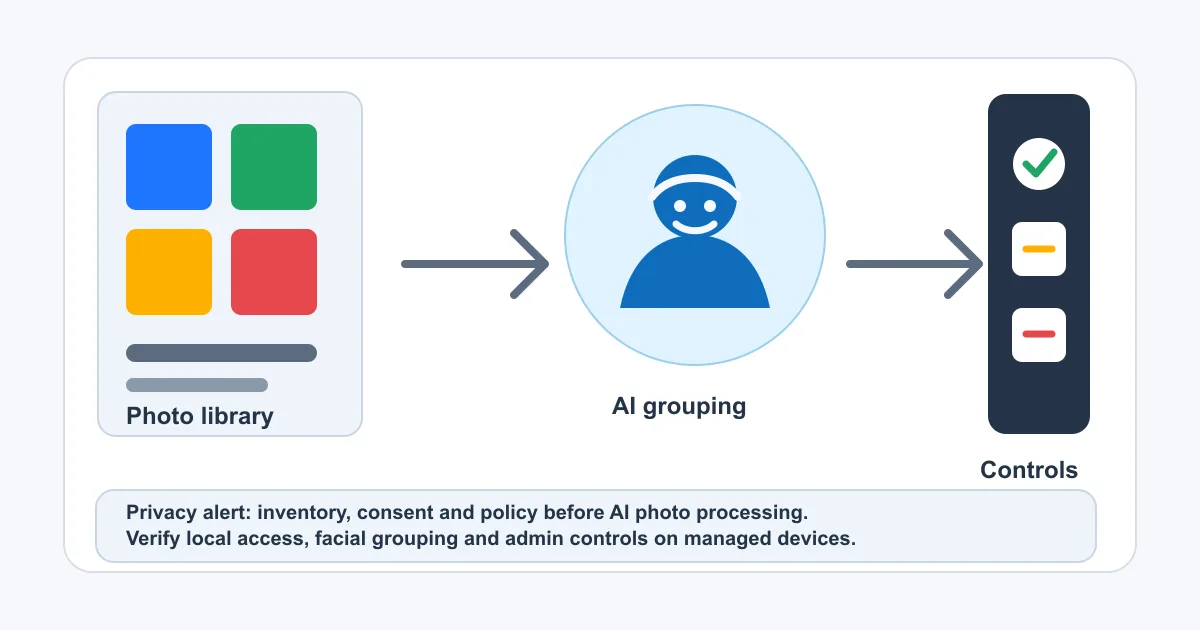
A new OneDrive Photos experience is appearing on Windows 11 devices. Users may discover it in the Start menu even though they did not deliberately install a separate photo application.
That alone should get the attention of IT administrators.
The concern is not simply that Windows has another image viewer. According to testing by Windows Latest, the app can display locally stored photos without a Microsoft account. After sign-in, it adds OneDrive photo features including AI-powered search, OCR and a People section for grouping similar faces.
After the controversy surrounding Windows Recall, this feels familiar: a useful AI feature arrives close to the operating system, processes information already present on the endpoint and may become visible to users before the organisation has assessed it.
Warning for IT administrators: do not wait for a user or auditor to discover OneDrive Photos first. Inventory the feature, test its behaviour and decide whether it belongs on managed devices.
What Has Been Observed?
Windows Latest reports that OneDrive Photos is not a separate Microsoft Store package. It runs through OneDrive.App.exe, installed alongside the OneDrive sync client, using a WebView2-based interface.
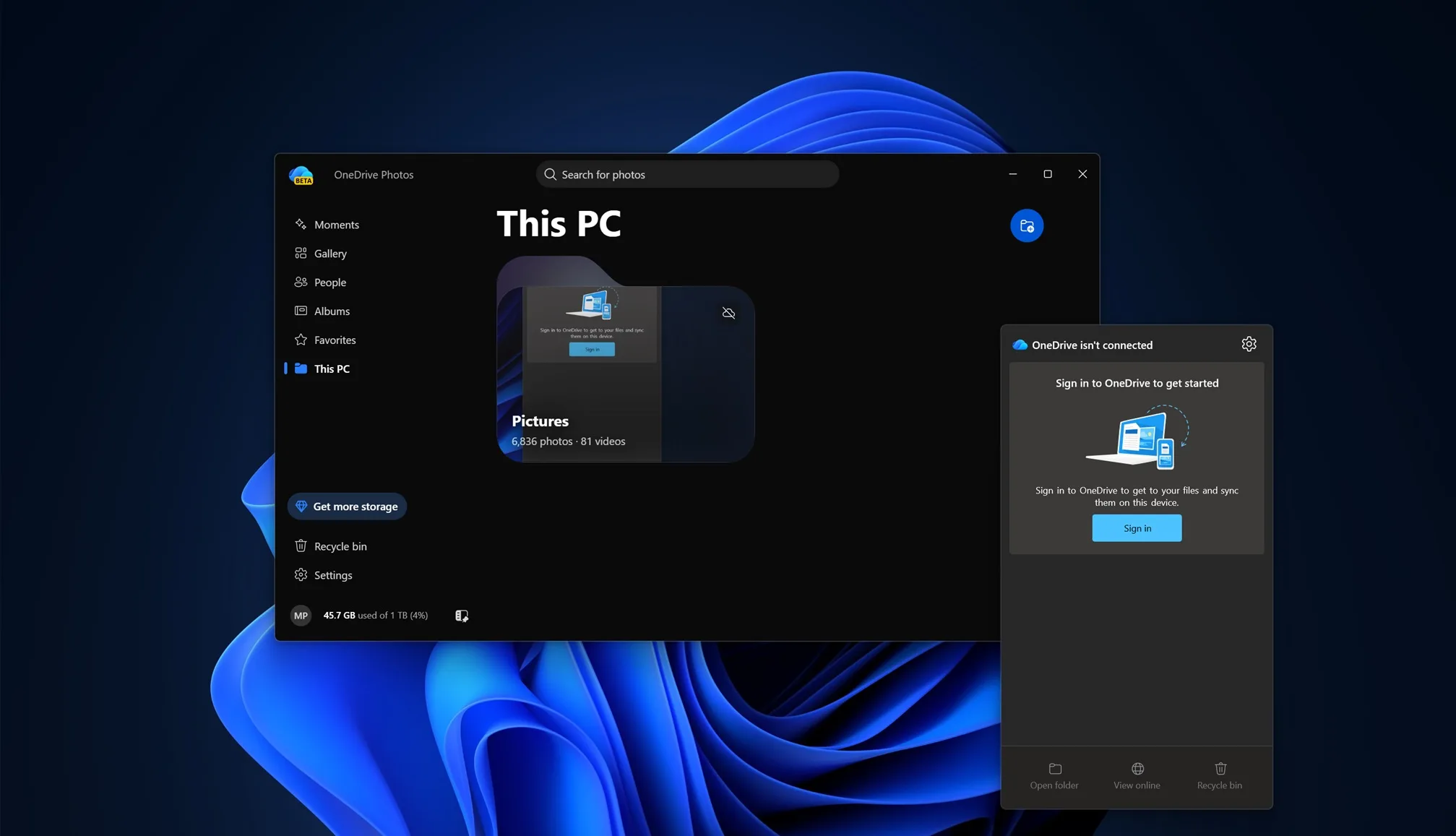
Their testing found the following behaviour:
- The app appeared without a deliberate standalone installation.
- It was available even when the device was not signed in to a Microsoft account.
- The Gallery displayed local images from the PC.
- Signing in enabled cloud-connected OneDrive photo search.
- Search could use visual context and OCR to find images.
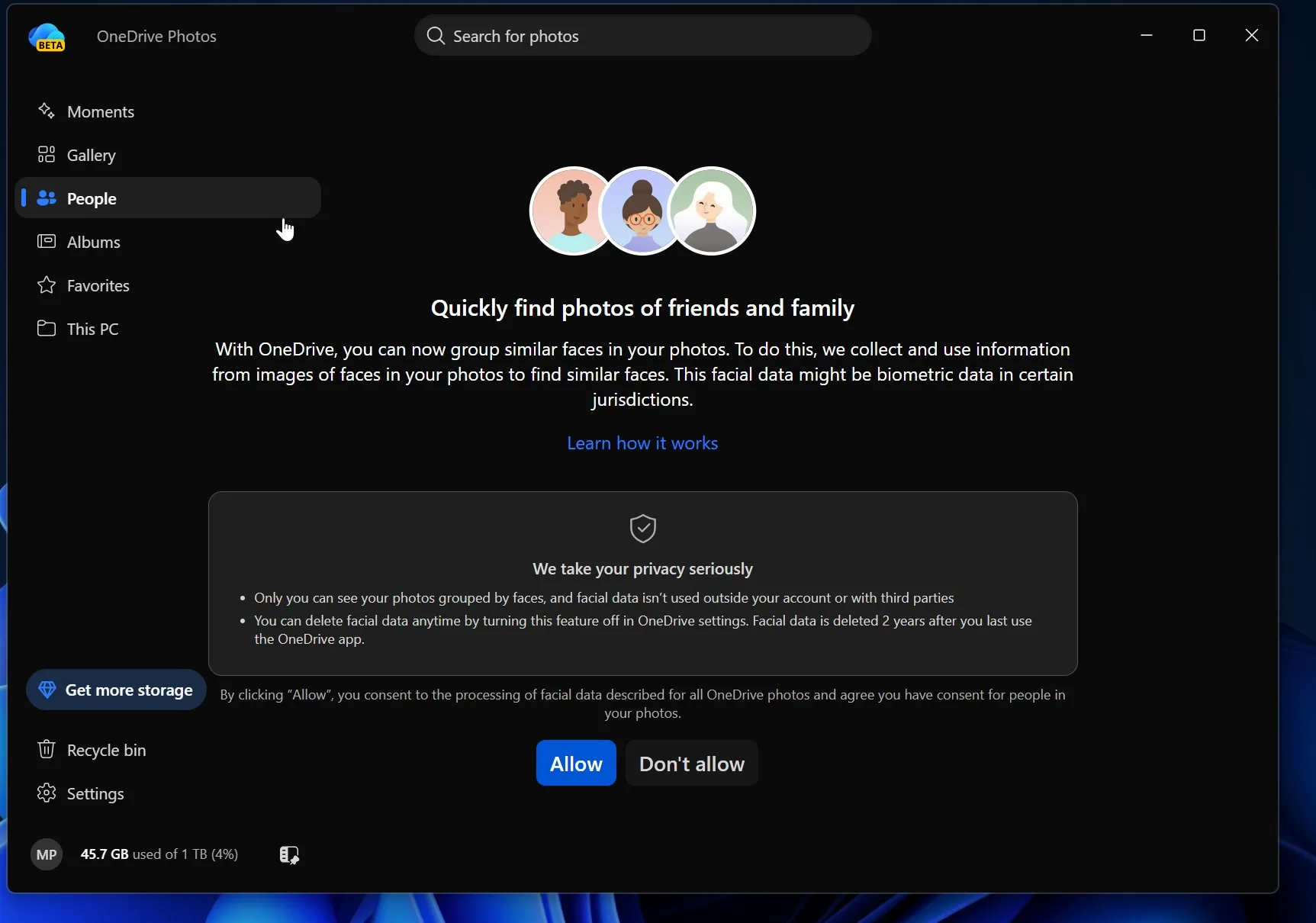
- The People section offered facial grouping and presented a permission prompt before enabling it.
- The companion app could not be removed through the normal app list without removing OneDrive itself.
Microsoft’s own documentation confirms the underlying cloud features. Intelligent search in OneDrive uses photo intelligence, location and other information to find images. Microsoft also documents facial grouping in OneDrive, including the collection, use and storage of facial scans and biometric information while the feature is enabled.
Microsoft says face groupings are visible only to the account holder, are not shared with other people when a photo or album is shared, and are not used to train the general AI model. Disabling facial grouping removes the associated grouping data within 30 days.
Those safeguards matter. So does the fact that this processing exists at all.
Is This a Privacy Violation?
Not automatically, and the current evidence is not sufficient to claim that Microsoft has already breached the GDPR.
Installing or exposing an application is not by itself an unlawful processing operation. Facial grouping also appears to require a user action or consent prompt in the tested experience. However, the automatic appearance of the app, its access to local photo locations and the addition of AI processing capabilities create legitimate privacy and compliance questions.
For an organisation, the assessment should cover:
- which local folders and data the app can access, and whether thumbnails, indexes or extracted text remain local or reach the cloud;
- how personal and work accounts differ, including who acts as controller for each processing activity;
- which purpose, lawful basis and transparency information apply;
- whether facial grouping can be enabled without organisational approval and how data-subject rights are handled;
- how long derived metadata is retained and how its deletion can be verified.
The GDPR does not treat every photograph as special-category biometric data. That classification becomes especially relevant when images undergo technical processing that enables unique identification or authentication. Microsoft nevertheless classifies the information produced for facial grouping as biometric. In a business environment, that wording alone justifies involving the privacy team or Data Protection Officer.
This is therefore best described as a potential privacy and governance risk, not a proven privacy breach. Whether the processing is lawful depends on the exact configuration, purpose, account type, data flow, transparency and legal basis.
Where large-scale or high-risk processing may occur, organisations should consider whether a Data Protection Impact Assessment is required. The Belgian Data Protection Authority also warns that facial-recognition data can pose serious risks to people’s rights and freedoms.
Why the Windows Recall Comparison Is Fair
OneDrive Photos is not Windows Recall. Recall captures snapshots of activity across the desktop, while OneDrive Photos is focused on image libraries and OneDrive content.
The comparison is about Microsoft’s delivery pattern and the administrative lesson.
When Recall was first announced, the major concern was that a broad new data-capture capability could be introduced before users and organisations fully understood its impact. Microsoft later redesigned the experience with opt-in consent, Windows Hello protection, encryption and enterprise policy controls. On commercially managed devices, Microsoft now says Recall is disabled and removed by default unless administrators make it available.
Our earlier article, Securing Windows Recall: A Guide to Enterprise Management and NIS2 Alignment, covered the same core lesson: endpoint AI must be governed as a data-processing capability, not treated as a harmless user-interface enhancement.
OneDrive Photos brings that discussion back because:
- the companion experience can arrive through an update to an existing component;
- local content becomes visible inside a newly surfaced app;
- semantic search and OCR change what can be inferred from images;
- facial grouping introduces a more sensitive category of processing;
- users may see the feature before IT has documented or approved it;
- a dedicated enterprise switch for this companion app is not currently apparent in Microsoft’s published OneDrive policy documentation.
That last point is especially important. Recall has documented Windows AI policies. OneDrive Photos currently appears to leave administrators with less granular control.
Why IT Administrators Should Care
Corporate photo folders rarely contain only holiday pictures. They often include:
- screenshots of business applications;
- identity cards, badges and QR codes;
- whiteboards and meeting-room displays;
- customer sites and employee faces;
- receipts, invoices and medical information;
- passwords or tokens captured accidentally;
- confidential prototypes, facilities and equipment.
OCR can turn text inside an image into searchable information. Facial grouping can create persistent relationships between images of the same person. Location and visual intelligence can reveal context that was not obvious from the filename.
Even where the source image was legitimately stored, the creation of new indexes, labels or biometric templates can change the purpose and risk profile of the data.
What Administrators Should Check Now
Start with a controlled test on Windows 11 devices representing your normal deployment rings.
- Search for OneDrive Photos in the Start menu and Windows Search.
- Check for
OneDrive.App.exein both%LocalAppData%\Microsoft\OneDriveandC:\Program Files\Microsoft OneDrive. - Launch the app while signed out and record which local folders and images appear.
- Repeat the test with a personal Microsoft account and, where applicable, a work account.
- Review the Gallery, This PC, People and search experiences separately.
- Confirm whether facial grouping is disabled by default and what consent text the user sees.
- Inspect Pictures, Videos and Documents library permissions.
- Review OneDrive Known Folder Move and decide whether work screenshots belong in a photo-processing experience.
- Check network and endpoint telemetry to understand which services are contacted.
- Document the result by Windows build, OneDrive version, region and tenant type.
Do not assume that a result from one test device applies everywhere. Microsoft’s facial-grouping documentation says the capability is rolling out gradually and may differ by account or region.
A PowerShell and Intune Containment Option
For organisations that do not want the companion app while they investigate, Nicky De Westelinck has published a community OneDrive Photos detection and remediation package for Microsoft Intune Remediations.
The detection script checks:
OneDrive.App.exeunder each user profile;- the machine-wide executable under
C:\Program Files\Microsoft OneDrive; - per-user and all-user Start menu shortcuts that target the executable.
The remediation script then deletes the detected executables and associated shortcuts.
This is useful as a technical containment option, but it is not an official Microsoft control. It directly removes files from the OneDrive installation rather than disabling the feature through a supported product policy. A future OneDrive update may restore the files, and Microsoft could change the file layout or application dependencies.
Before production deployment:
- Review and version the scripts in your own repository.
- Run detection only to understand the scope.
- Test remediation in a small device ring.
- Confirm that OneDrive sync, update and support workflows still behave correctly.
- Monitor whether the executable returns after OneDrive updates.
- Define a rollback or reinstall procedure.
- Record the decision through your normal change and privacy-governance process.
Removing the executable can reduce immediate exposure, but it does not replace a privacy assessment.
Interian View
The strongest warning is not “Microsoft is definitely breaking the law”. It is that organisations can no longer govern Windows only through a list of traditional applications.
AI capabilities increasingly arrive inside existing clients, web-based companion experiences and background updates. A familiar product name does not guarantee familiar data processing.
The right response is evidence-driven:
- inventory the capability;
- verify the default behaviour;
- identify the data and people affected;
- assess the legal and security impact;
- communicate with users;
- block or remove the feature where the risk is not accepted;
- keep monitoring because updates can change the result.
Windows Recall taught administrators to ask these questions about screenshots. OneDrive Photos should prompt the same discipline for photo libraries.
Practical Readiness Checklist
- [ ] Identify devices where
OneDrive.App.exeis present. - [ ] Capture the deployed Windows and OneDrive versions.
- [ ] Verify local photo access while signed out.
- [ ] Test personal and work-account behaviour.
- [ ] Review facial-grouping consent and deletion behaviour.
- [ ] Check photo-library permissions and Known Folder Move.
- [ ] Consult the DPO or privacy team where biometric processing may occur.
- [ ] Decide whether a DPIA or formal risk assessment is needed.
- [ ] Pilot the Intune detection script before considering removal.
- [ ] Recheck after every significant OneDrive or Windows update.
- [ ] Align this decision with existing Recall and endpoint-AI policies.
Final Thoughts
OneDrive Photos is not a second Windows Recall, and its presence does not prove a GDPR violation. But it does show the same governance problem: a new capability can process sensitive endpoint content before administrators have visibility, policy or an agreed risk position.
For IT teams, the message is simple: detect it, test it and make a deliberate decision. Do not let an automatically delivered photo experience become an automatically accepted privacy risk.
Further Reading
- Securing Windows Recall: A Guide to Enterprise Management and NIS2 Alignment
- Microsoft Entra Consent Changes Coming July 2025: A Guide for Admins
- Get Ready: Microsoft Will Automatically Switch to the New Outlook for Windows in 2025!
- Pictures, videos and documents library access and privacy
- Update on Recall security and privacy architecture