
| TL;DR Microsoft Entra memberOf retirement is now a dated action item for administrators before 3 November 2026. Dynamic groups, dynamic administrative units and entitlement management auto assignment policies that still use memberOf will stop updating and remain in their last known state. The main risk is stale access. Conditional Access targeting, Teams and SharePoint access, group-based licensing and access package assignments can silently drift away from reality. Treat this as an access governance cleanup, not only a dynamic group syntax change. |
| Table of contents 1. What is changing? 2. Where memberOf may be hiding 3. Why this matters for security 4. Practical migration checklist 5. Governance angle 6. Recommended action plan 7. Final thoughts |
What Is Changing?
The memberOf operator was introduced as a preview capability for Microsoft Entra dynamic membership. It allowed administrators to build a dynamic group from the direct members of one or more existing groups.
A typical use case looked simple enough. Take the members of Group A and Group B, then expose them as one dynamic group for an application, policy, licence assignment or governance process.
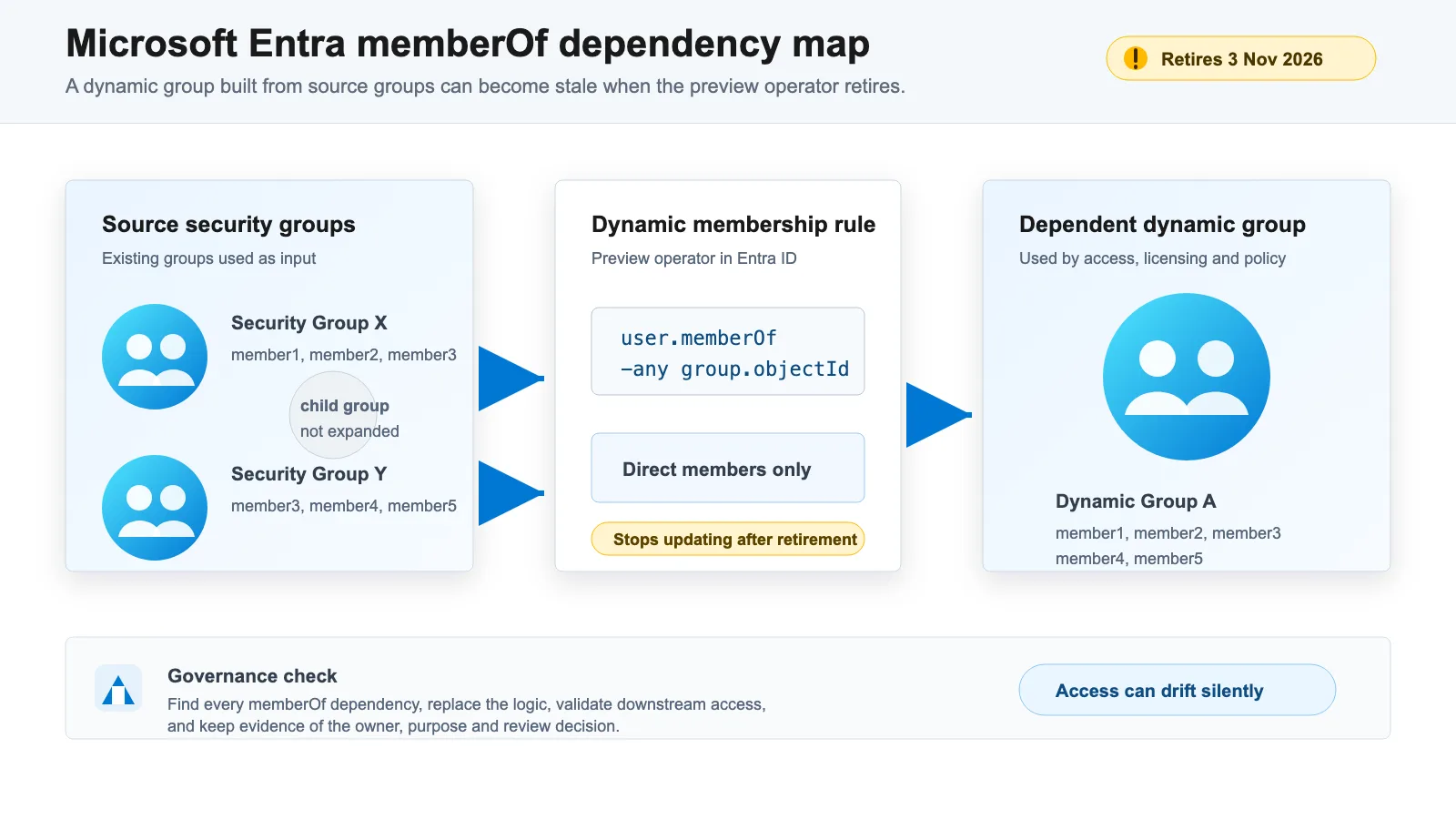
Microsoft has now confirmed that the public preview is ending. From 3 November 2026, configurations that still rely on memberOf will stop updating. They will not immediately disappear. They will stay in their last known state, which is exactly why the risk is easy to miss.
A broken configuration is noisy. A stale access group can be quiet. This is why Microsoft Entra memberOf retirement should be reviewed as part of access governance, not only as a rule syntax change.
Where memberOf May Be Hiding
Start by checking three places:
- Dynamic membership groups
- Dynamic administrative units
- Entitlement management auto assignment policies
The first category is usually the most visible. Many administrators will think of dynamic groups first, especially where groups are used for application access, Microsoft 365 group access, Teams, SharePoint, licensing or Conditional Access targeting.
The second category can be more sensitive. Dynamic administrative units are often used to scope administration. If the membership stops updating, the delegated administration model may no longer follow the current organisational model.
The third category links directly to identity governance. If an access package uses an auto assignment policy based on memberOf, users may no longer be added or removed as expected.
Why This Matters for Security
The main risk is stale access.
Imagine a user moves department, leaves a project or changes role. The source group changes, but the memberOf based dynamic group no longer updates. That user may keep access through a Teams membership, SharePoint permission, enterprise app assignment or access package.
The opposite can also happen. A new user may be added to the source group, but may never appear in the dependent dynamic group. This creates support tickets, inconsistent onboarding and manual workarounds.
For security teams, the bigger concern is policy drift. Conditional Access policies are often targeted by groups. If those groups stop reflecting current users or devices, the policy is still enabled, but the target population is no longer reliable.
That is a governance issue, not only an Entra configuration issue.
Practical Migration Checklist
Use a simple four-step approach.
1. Find Every Dependency
Export or review dynamic groups and search for rules that contain memberOf.
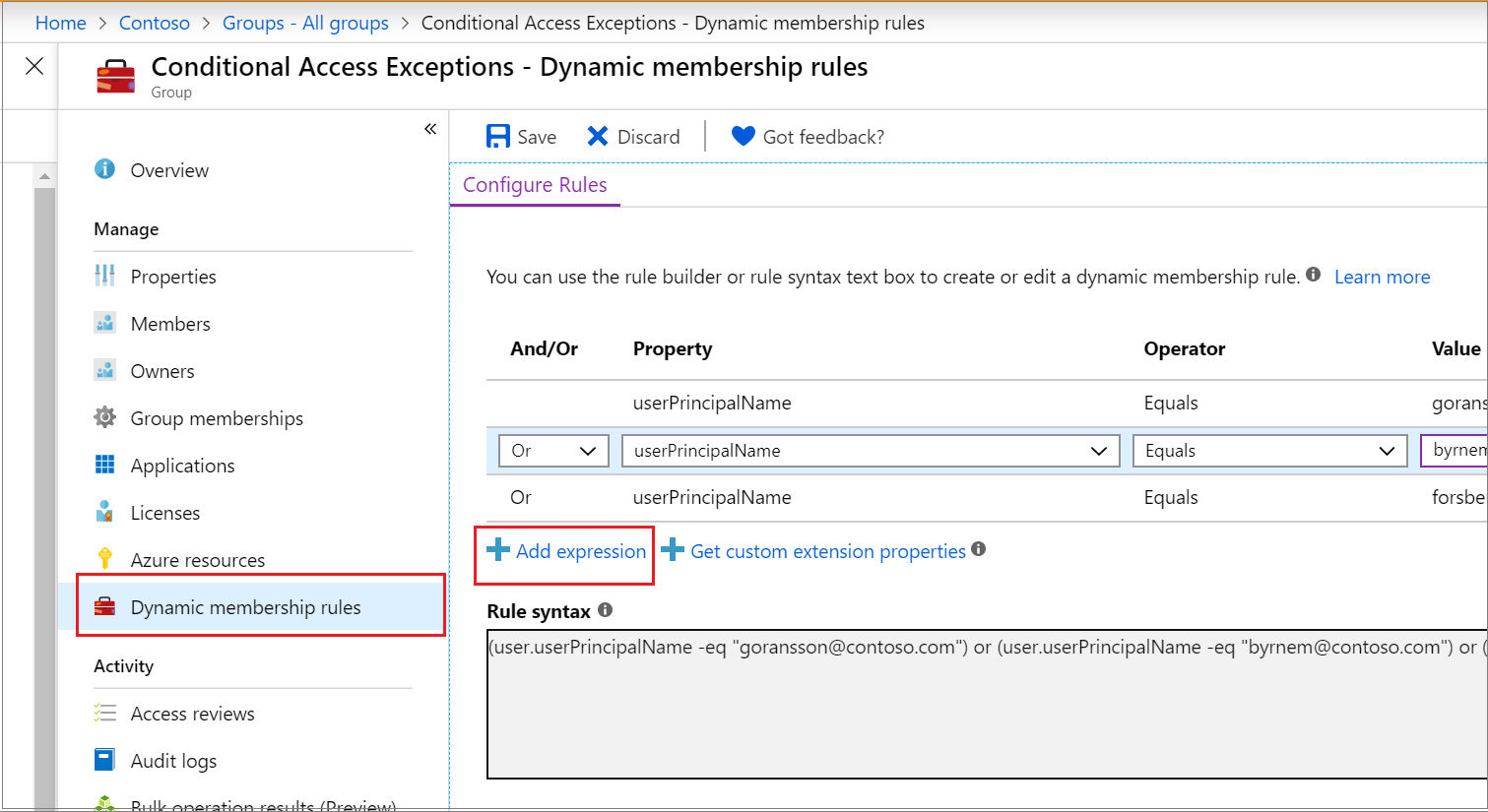
Also check dynamic administrative units and entitlement management auto assignment policies. Do not stop after the first group report. The retirement affects more than dynamic groups.
For each finding, record:
- Object name
- Object type
- Current rule
- Owner
- Business purpose
- Systems or policies that depend on it
- Risk if membership becomes stale
- Proposed replacement
- Validation date
This creates useful audit evidence and avoids a blind technical cleanup.
2. Classify the Use Case
Not every memberOf rule needs the same replacement.
Some groups can become assigned groups with a clear owner and review cycle. Some can be rebuilt with supported attribute-based dynamic rules, for example department, country, job title, employee type or extension attributes. Some may need a process change because the source of truth was never clear enough.
Useful classification questions:
- Is this group used for access, policy targeting, licensing or reporting?
- Is membership business critical?
- Is there a reliable user or device attribute that can replace group nesting logic?
- Who owns the membership decision?
- How often should membership be reviewed?
- What breaks if the group is wrong for one week?
If there is no reliable attribute, do not force a weak dynamic rule. An assigned group with ownership and access review may be safer than a clever rule nobody trusts.
3. Replace the Rule
Microsoft recommends replacing memberOf with supported rule operators where possible, or converting the object to assigned membership.
For dynamic groups, this usually means moving to attribute-based logic. Keep the rule as simple as possible. Rules that are easier to understand are also easier to validate and support.
For administrative units, validate membership and delegated scope after the change. A correct member list is not enough if delegated administration no longer matches the business need.
For entitlement management, validate access package assignments after changing the policy. The business test should confirm who receives access, who loses access and whether exceptions are handled properly.
4. Validate the Result
Validation should not stop at whether the rule saved successfully.
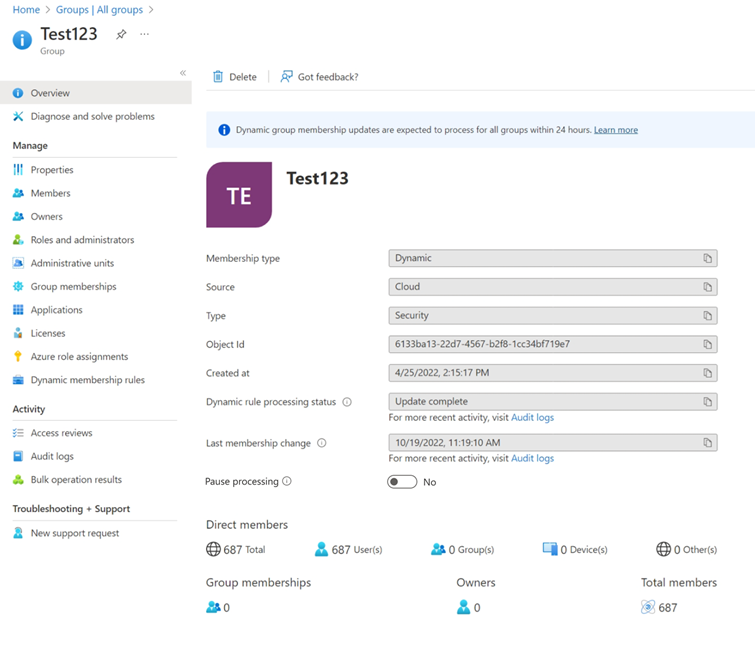
Check sample users or devices. Compare expected membership with actual membership. Review downstream effects in Conditional Access, licensing, Teams, SharePoint, enterprise apps and access packages.
Also keep evidence. A simple change record with screenshots, exported configuration and validation notes can support future audits, especially where access governance is linked to NIS2, ISO 27001 or internal control requirements.
Governance Angle
The retirement of memberOf is a good reminder that group logic is part of your control environment.
Groups often sit between identity data and real access. They decide who receives licences, who enters collaboration spaces, who is included in Conditional Access, who gets access packages and who can be administered by delegated teams.
That means every important group should have four things:
- A clear owner
- A known purpose
- A reliable source of truth
- A review or validation rhythm
Without those, dynamic groups become hidden business logic. They work until they do not, and when they fail, the impact appears somewhere else.
Recommended Action Plan
| Timing | Action |
|---|---|
| By 15 September 2026 | Identify all memberOf usage and classify the business impact. |
| By 15 October 2026 | Replace high-risk rules and validate downstream access. |
| By 3 November 2026 | Remove or replace the remaining configurations and keep evidence of the review. |
| By 30 November 2026 | Review the wider group estate, remove unused groups and document which groups are safe for policy targeting. |
Final Thoughts
The memberOf retirement is not just another Microsoft 365 change notice. It is a practical test of how well your tenant understands its own access model.
If you only replace syntax, you may miss the real issue. The stronger approach is to map which access decisions depend on these groups, confirm who owns them and make the replacement easier to govern than the original configuration.
Handled well, Microsoft Entra memberOf retirement turns a deadline into cleanup with lasting value.
Further Reading
- Understanding your group estate: Microsoft Entra group source of authority
- Administrative Boundary Design in Microsoft Entra: From Flat Tenants to Defensible Governance
- Exploring Conditional Access Bypasses in Microsoft Entra ID
- Microsoft Learn: Configure dynamic membership groups with the memberOf operator
- Microsoft 365 Message Center archive: MC1448379