
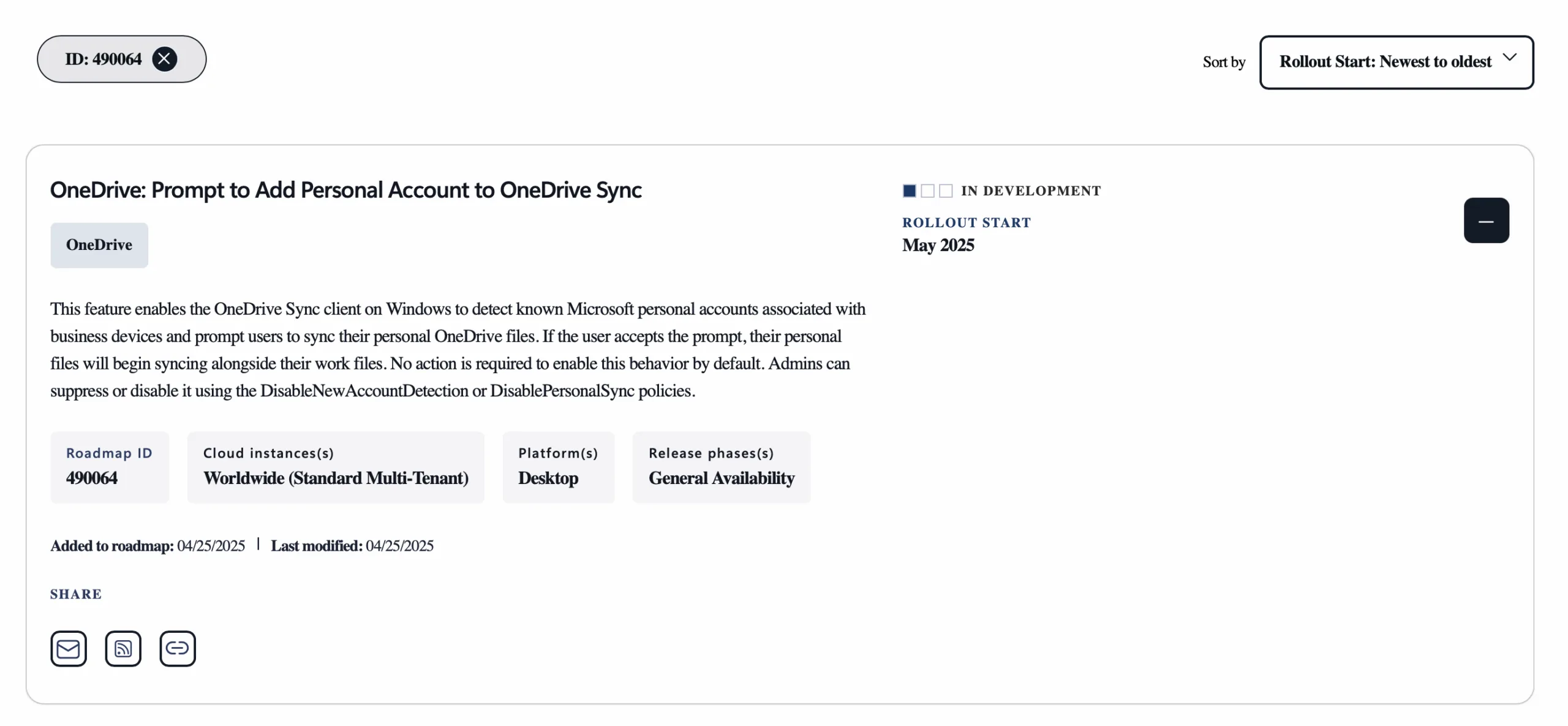
Microsoft has recently announced a new feature for OneDrive that allows business users to sync their personal OneDrive accounts directly on their work devices. While this feature, set to roll out in May 2025, may seem convenient for users, it introduces significant risks for data security if not properly managed. In this post, I’ll dive into the details of this feature, explore the potential risks, and outline the steps IT administrators should take to mitigate them.
Understanding the New Feature
According to the Microsoft 365 Roadmap (ID: 490064), starting in May 2025, the OneDrive Sync client on Windows will automatically detect known Microsoft personal accounts associated with business devices. For example, if a user logs into a personal Microsoft service like outlook.com via Microsoft Edge on their work device, OneDrive will recognise this and prompt them to sync their personal OneDrive files alongside their work files.
This feature is enabled by default, meaning that unless IT administrators take specific actions, all business users will have the ability to sync personal files on company devices. The integration, while not entirely new, becomes more prominent due to these automated prompts, making it more likely that users will enable it without fully understanding the implications.
The Security Risk
The primary concern with this feature is the potential for data exfiltration. Users can easily copy sensitive business files to their personal OneDrive accounts, where they can then share them without any logging or control by the organisation. This creates a significant loophole, allowing business data to leave the organisation’s compliance perimeter with a simple drag-and-drop action.
For example, a user could inadvertently or intentionally move confidential documents, such as financial reports or customer data, to their personal OneDrive. Once there, these files could be shared with external parties or accessed from unsecured devices, bypassing the organisation’s security and compliance measures. This could lead to data breaches, regulatory violations, or reputational damage.
The default activation of this feature places the burden on IT administrators to proactively disable it if it conflicts with the organisation’s data handling policies. Without intervention, the risk of unintended data leaks is substantial.
Mitigation Steps
To address this potential data leak, IT administrators should enforce two specific Group Policies to restrict personal account syncing and reduce the visibility of the sync prompt. These policies are:
1. DisablePersonalSync
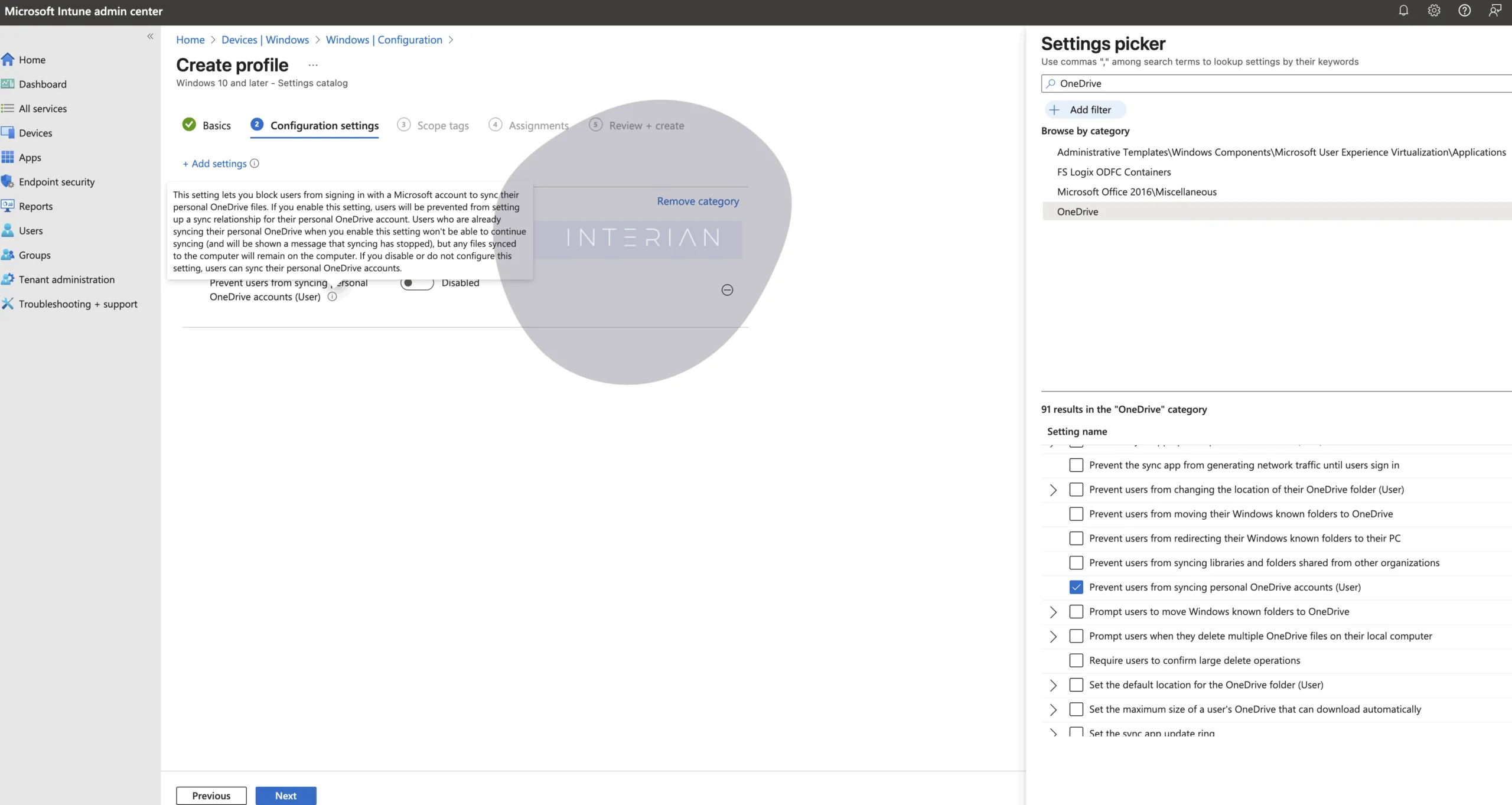
This policy prevents users from syncing personal OneDrive accounts on their work devices. Once enabled, users will no longer be able to sync their personal OneDrive files. If a user has already synced their personal account, enabling this policy will stop the sync, but the files will remain on the device until manually deleted.
- How to Implement:
- For Group Policy: Use the OneDrive ADMX templates and enable the policy “Prevent users from syncing personal OneDrive accounts.”
- For Intune: Use the Settings Catalog to enable “Prevent users from syncing personal OneDrive accounts” under the OneDrive category.
Why It’s Critical: This policy is the most effective way to block personal account syncing, ensuring that business data cannot be moved to personal OneDrive accounts.
Microsoft Documentation: Refer to the Microsoft documentation on OneDrive policies, specifically the section on “Prevent users from syncing personal OneDrive accounts.”
2. DisableNewAccountDetection
This policy hides the prompt that encourages users to sync their personal OneDrive accounts. However, it does not prevent users from manually adding their personal accounts, so it should be used in conjunction with DisablePersonalSync for comprehensive protection.
Microsoft Documentation: Refer to the Microsoft documentation on OneDrive policies, specifically the section on “Hide the messages to sync Consumer OneDrive files.”
How to Implement:
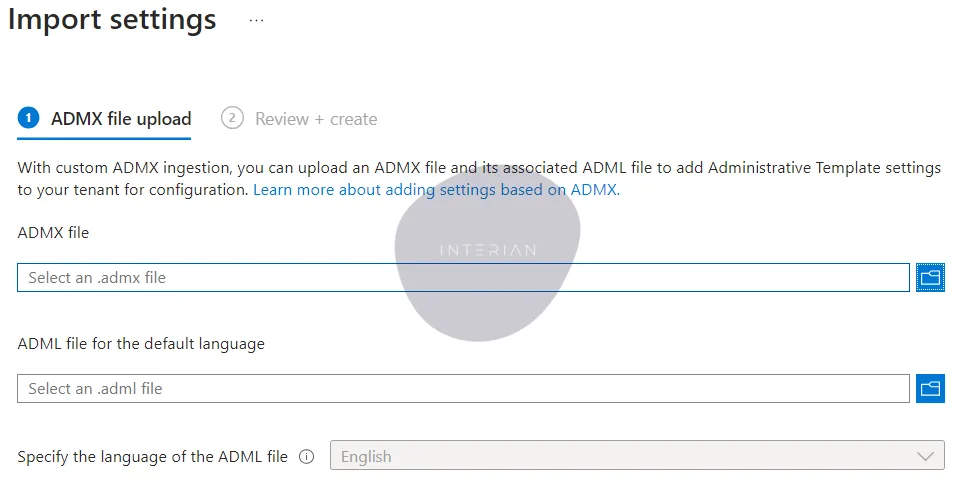
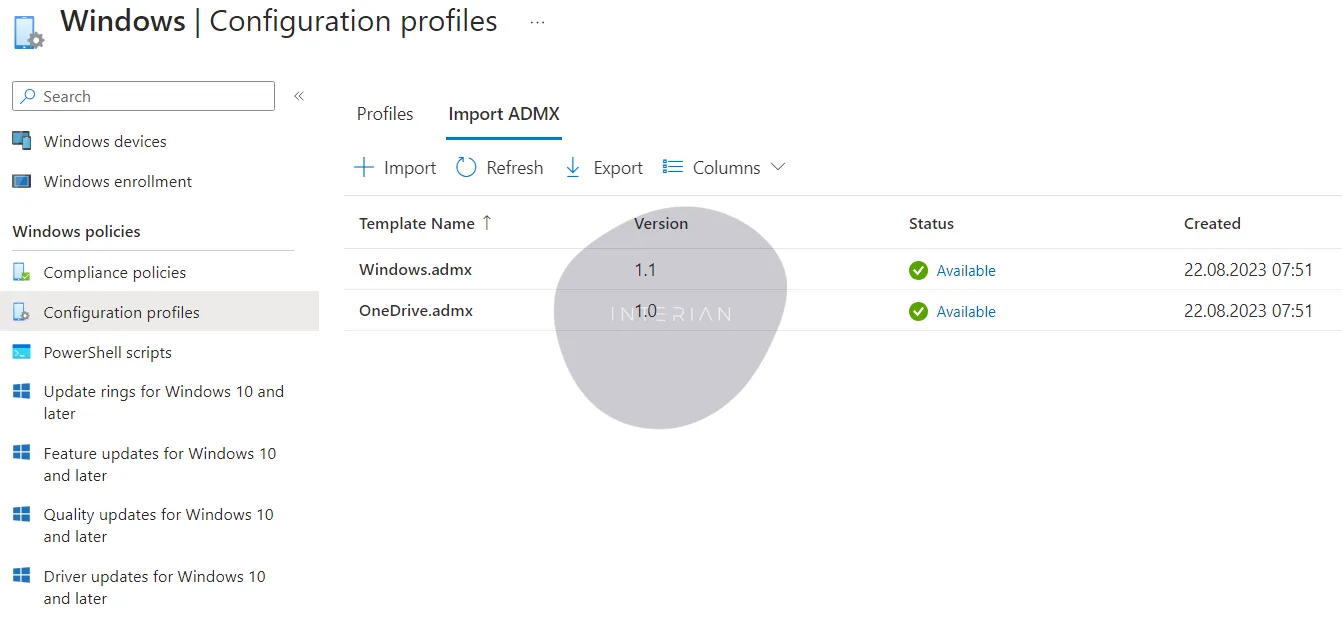
- For Group Policy: Use the OneDrive ADMX templates and enable the policy “Hide the messages to sync Consumer OneDrive files.”
- For Intune: The setting “Hide the messages to sync Consumer OneDrive files” is NOT available in the Settings Catalog.
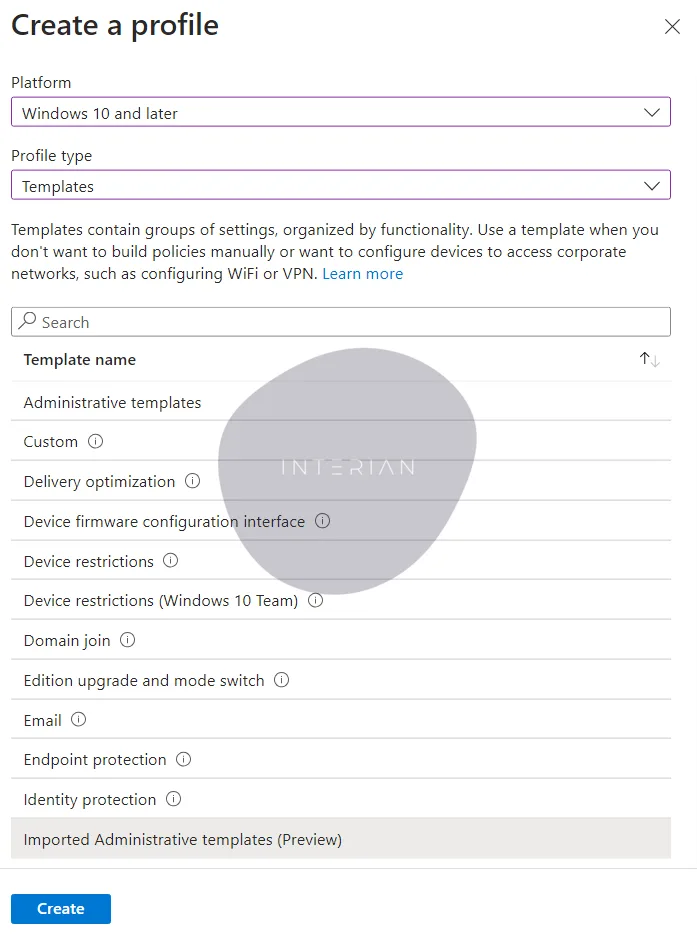
Limitations: This policy is cosmetic and only reduces the likelihood of users enabling personal syncing by hiding the prompt. It is not a standalone solution.
Microsoft Documentation: Refer to the Microsoft documentation on OneDrive policies, specifically the section on “Hide the messages to sync Consumer OneDrive files.”
Implementation Table
| Policy | Purpose | Effectiveness | Documentation |
|---|---|---|---|
| DisablePersonalSync | Prevents syncing of personal OneDrive accounts on work devices | High – Blocks personal syncing entirely | Microsoft Docs |
| DisableNewAccountDetection | Hides the prompt to sync personal OneDrive accounts | Moderate – Cosmetic, does not block manual syncing | Microsoft Docs |
Important Considerations
- DisablePersonalSync is Mandatory: For most organisations, this policy should be considered essential to prevent unauthorised syncing of personal accounts. It provides the strongest protection against data exfiltration.
- DisableNewAccountDetection is Supplementary: On its own, this policy is insufficient, as users can still manually add personal accounts. It should always be paired with DisablePersonalSync.
- Default Settings Are Risky: The fact that the feature is enabled by default means that organisations are exposed to this risk unless IT administrators take proactive steps to configure these policies.
- Post-Sync Actions: If personal accounts have already been synced before the policies are applied, IT administrators will need to ensure that any existing personal files on work devices are removed to fully mitigate the risk.
Conclusion
The new OneDrive feature, while potentially useful for some users, introduces a significant security risk for businesses by allowing personal account syncing on work devices. IT administrators must take proactive steps to enforce the appropriate Group Policies—DisablePersonalSync and DisableNewAccountDetection—to safeguard sensitive data. Failure to act could result in unintended data leaks, compromising both security and compliance.
By staying ahead of this change and implementing the recommended mitigations, organisations can continue to leverage OneDrive’s benefits while maintaining control over their data. For more details, refer to Microsoft’s official documentation and the original discussion of this issue.