The February post on this blog covered why UTCM matters for governance posture. This post covers how Tenant Governance actually works: the three mechanical layers, what each licensing tier unlocks, the Tenant Governance Administrator role and why it deserves careful handling, how Protected Actions address what snapshots cannot recover from, and when it makes sense to go native versus staying with a third-party tool.
| TL;DR > Tenant Governance is the management layer on top of UTCM: it handles tenant discovery, governance relationships and policy templates. > Discovery is low-friction but not zero-configuration. Enabling related tenant discovery is an explicit administrative step. Signal-based automated discovery (B2B, billing, apps) requires the ID Governance add-on. > Single-tenant drift monitoring and configuration snapshots are available at all tiers including Free, within defined limits. Governance relationships via GDAP require Entra P1. App injection relationships and automated signal-based discovery require the ID Governance add-on. Secure tenant creation is available at all tiers including Free. > Template changes do not auto-propagate to existing relationships. A new request and approval cycle is required each time you update scope. > Tenant Governance Administrator is a highly sensitive cross-tenant control-plane role. It can establish governance relationships that grant significant administrative access to external parties. > Protected Actions (available from Entra P1) address the category of destruction that snapshots cannot recover from. They are a general Entra capability, not a Tenant Governance-specific feature. > This solution is built for enterprises with multiple owned tenants. MSPs should evaluate purpose-built alternatives. |
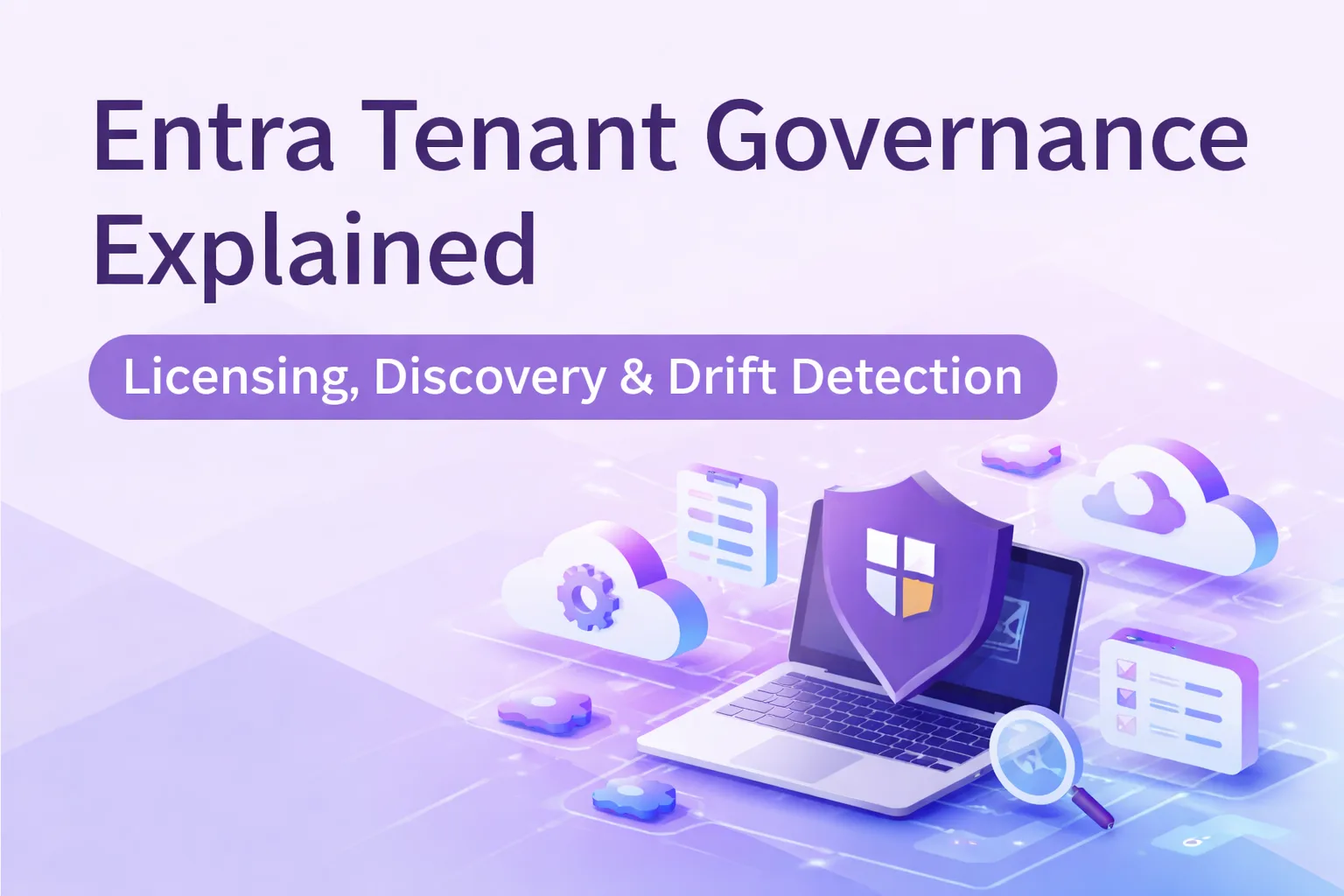
Entra Tenant Governance extends UTCM into a multi-tenant governance model. It adds tenant discovery, governance relationships and policy templates on top of the underlying monitoring and snapshot engine. The result is not just drift detection inside one tenant, but a structured way to establish and operate governance across multiple owned tenants.
Two components, one model
It helps to separate the two pieces clearly before going further.
UTCM is the technical engine. It captures configuration snapshots of a tenant, establishes baselines, and runs continuous drift detection against those baselines. It can operate on a single tenant without anything else.
Tenant Governance is the management layer on top. It handles discovering which tenants your organisation operates, formalising governance relationships with those tenants, and extending UTCM across all of them from a single governing tenant. The governing tenant is the one doing the watching.
In isolation, UTCM is useful. Combined, the two form a multi-tenant configuration assurance platform.
How Tenant Governance works mechanically
1. DISCOVERY
The first problem Tenant Governance solves is knowing how many tenants your organisation actually has. This is less obvious than it sounds. Years of mergers, acquired subsidiaries, shadow IT projects, and shared billing arrangements leave most large organisations uncertain about the true count.
Tenant Governance performs discovery by scanning for signals that link your governing tenant to others. Signals include active B2B relationships, shared billing accounts, and consented multi-tenant application registrations. Discovered tenants appear in the Related tenants blade, filterable by which signal surfaced them.
Discovery is designed to be low-friction, but it is not a zero-configuration capability. Enabling related tenant discovery is an explicit administrative step that should be treated as a deliberate platform setting: navigate to Tenant Governance > Related tenants and activate it, or invoke the corresponding Graph API endpoint. After activation, Microsoft Entra begins aggregating existing signals, a process that may take time to fully populate depending on the size of your tenant estate.
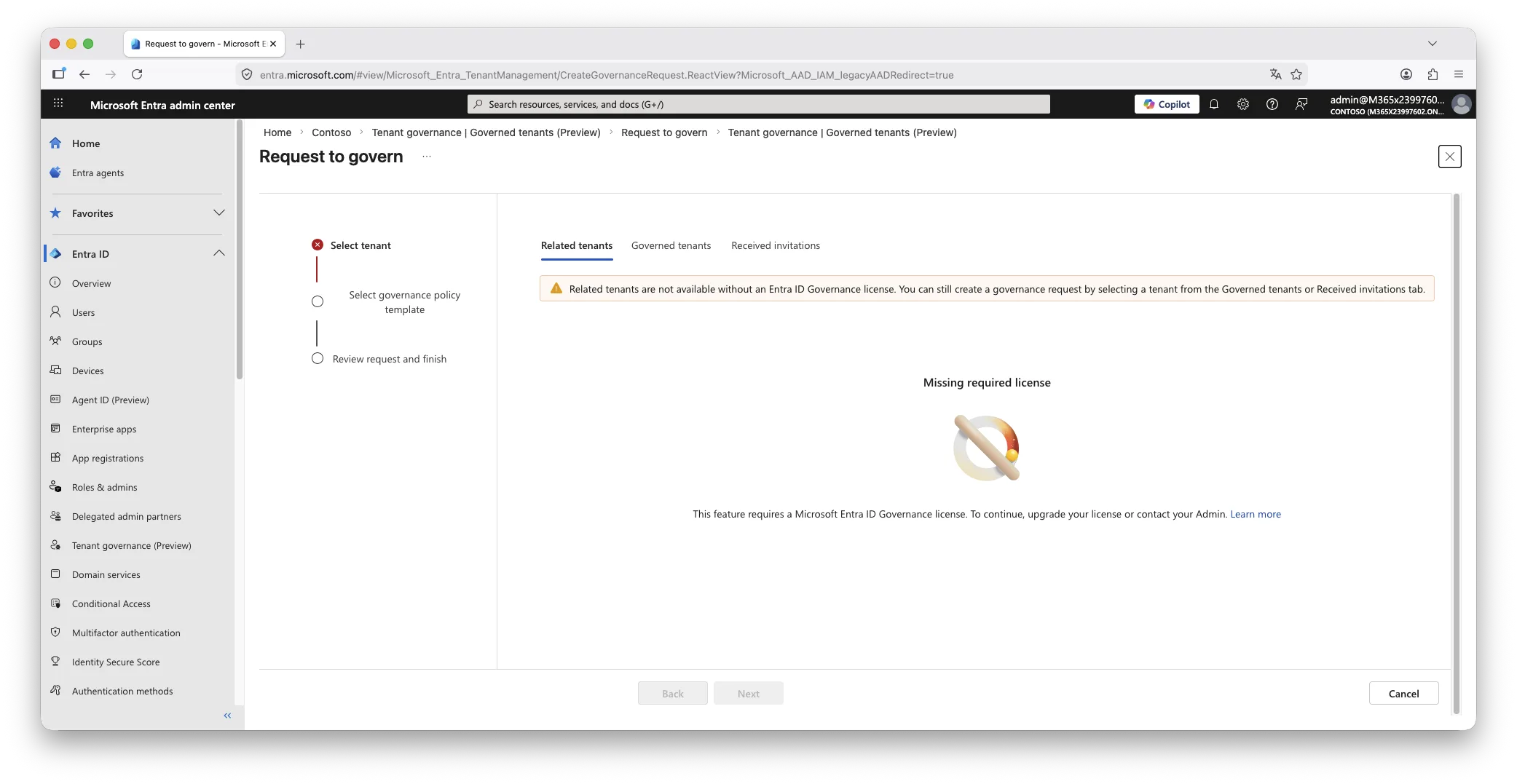
Licensing note: Automated signal-based discovery via B2B, billing and application signals requires the Entra ID Governance add-on. Governance relationships created manually via GDAP work with Entra P1. See the licensing section below for the full picture.
2. RELATIONSHIPS
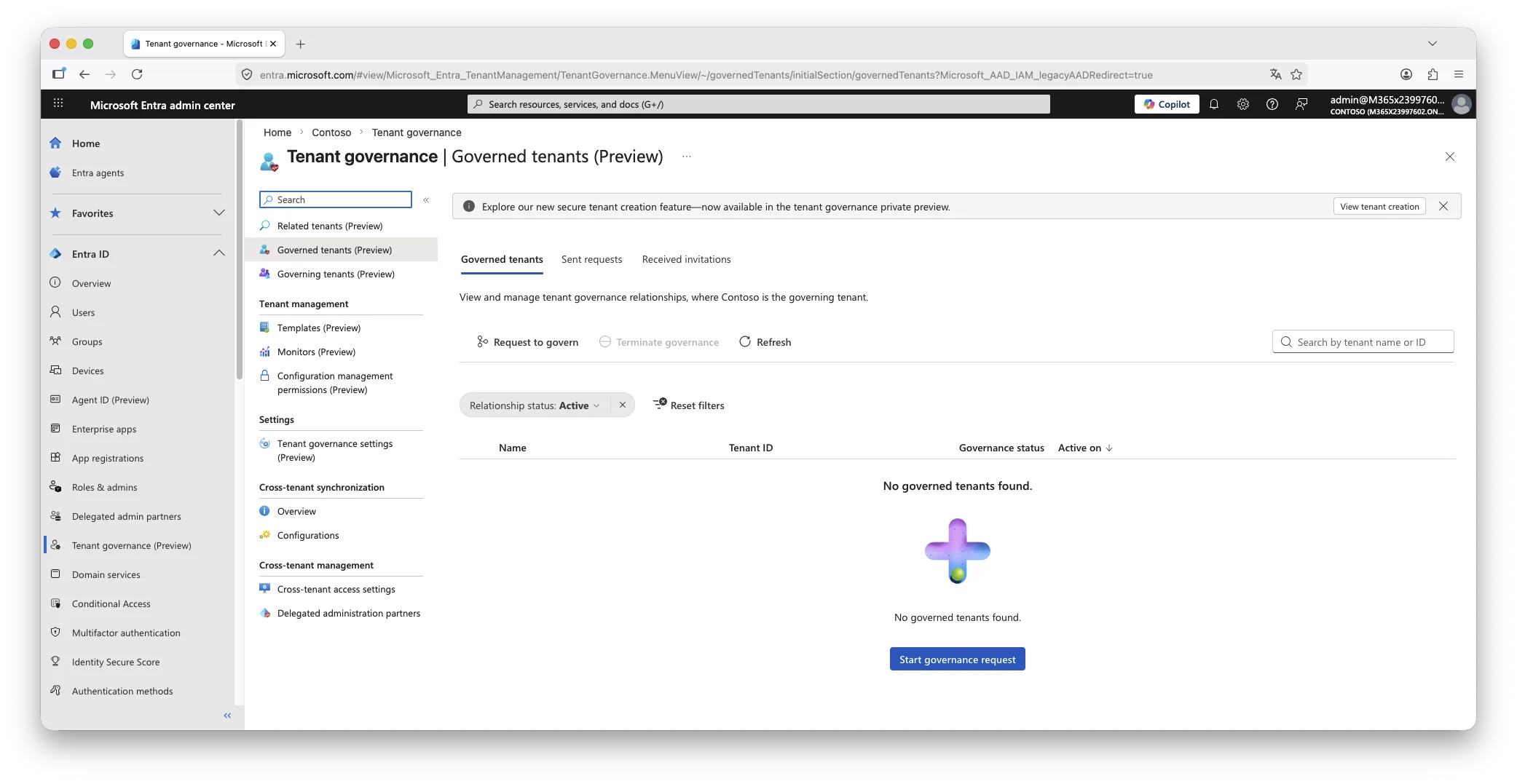
Finding a tenant does not automatically grant authority to govern it. A formal governance relationship must be established, requiring consent from an administrator in the tenant being governed. The process uses the Governed tenants blade to send and receive governance requests.
Two relationship types are available depending on your licensing tier. GDAP-based relationships use Granular Delegated Admin Privileges and work from Entra P1 onwards. App injection-based relationships, which pre-consent a multi-tenant application into the governed tenant to allow configuration reading, require the ID Governance add-on.
Governance relationships move through defined states: a request starts as pending, becomes accepted or rejected, and once established can be terminated by either party.
This step is manual by design. You are not expected to govern every tenant that discovery surfaces, only those your organisation legitimately controls.
3. TEMPLATES
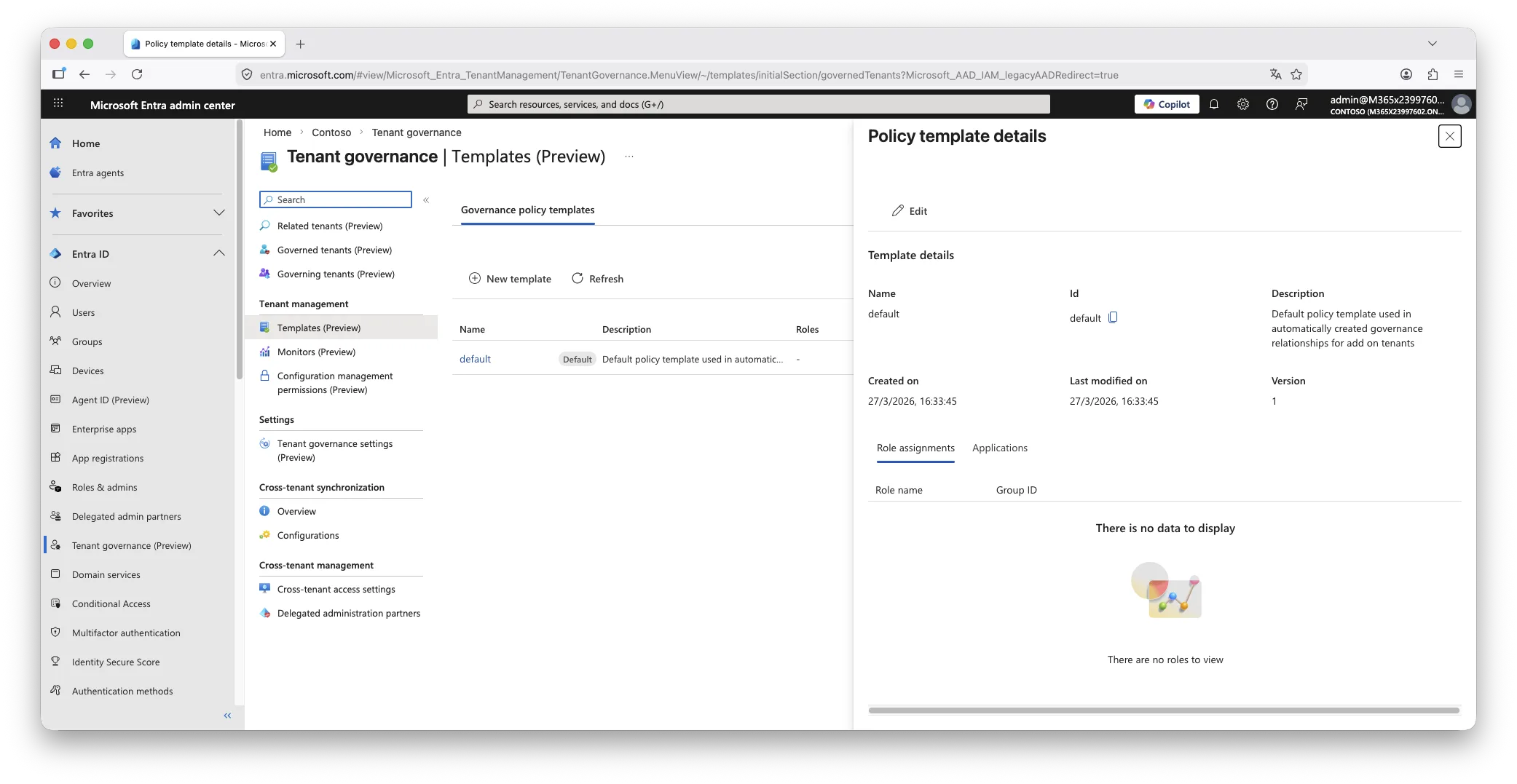
Once a relationship exists, templates define what permissions apply within it. A governance policy template is a reusable set of administrative roles that will be activated in the governed tenant when the relationship is accepted. Templates can also pre-consent permissions for multi-tenant applications, reducing the administrative overhead of onboarding each tenant individually.
Templates are managed centrally from the governing tenant. One governance nuance worth understanding explicitly: modifying a template after a relationship has been established does not automatically update that relationship. To apply changes, a new request and approval cycle must be initiated between the two tenants. This is intentional behaviour, not a gap, but it is operationally significant when you need to change the scope of access across a large estate.
The remaining capabilities, baselines and monitors, belong to UTCM itself and are described in the February post on this blog.
Licensing: what each tier actually unlocks
This is where the practical constraints become visible. The table below reflects the current Public Preview state as of March 2026, based on Microsoft Learn documentation. Limits may change at general availability
| Capability | Free / all tiers | Entra P1 / P2 | ID Governance add-on |
| New tenant creation with governance relationship | Yes | Yes | Yes |
| Single-tenant drift monitoring (up to 30 monitors, up to 800 configuration resources per tenant per day) | Yes | Yes | Yes |
| Configuration snapshots (up to 20,000 resources per tenant per month, up to 12 active snapshot jobs) | Yes | Yes | Yes |
| Governance relationship via GDAP | No | Yes | Yes |
| Discover related tenants (B2B, billing, apps) | No | No | Yes |
| Governance relationship via custom app injection | No | No | Yes |
The practical implication: the two most operationally valuable capabilities for a multi-tenant estate, automated signal-based discovery and app-injection relationships, are gated behind the ID Governance add-on. For organisations evaluating this purely for multi-tenant drift detection, the cost justification depends on whether the native capability displaces existing third-party tooling. If you already hold ID Governance licences for Entitlement Management or Access Reviews, the incremental cost is low. If not, it is a meaningful step up.
The Tenant Governance Administrator role
Setting up and accepting governance relationships on both sides requires the Tenant Governance Administrator role. Although narrower in scope than Global Administrator, this is a highly sensitive cross-tenant control-plane role and should be treated accordingly.
The reason: this role can create, approve and modify governance relationships that establish cross-tenant administrative trust. A governance request sent from another tenant carries a policy template that defines which administrative roles the governing tenant’s users will hold in the governed tenant. An administrator holding Tenant Governance Administrator can accept that request, and in doing so establish a delegation of access to an external party, without requiring Global Administrator rights on the accepting side.
A carelessly or maliciously constructed governance request, accepted without scrutiny, can result in an external organisation’s users holding elevated administrative access in your tenant. The role is narrow by name but broad by consequence.
Operational recommendation: Apply PIM scoping, justification requirements and approval workflows to Tenant Governance Administrator. Do not leave it as a permanently active assignment. Review all incoming governance requests carefully before accepting, including the template attached to the request and the roles it contains.
For completeness: Microsoft also exposes a separate Tenant Governance Relationship Administrator role that covers relationship management tasks short of request acceptance. For architects designing least-privilege role assignments across a governing tenant, that distinction matters when scoping who can manage versus who can approve.
The gap snapshots cannot close: Protected Actions
UTCM snapshots and drift monitors address configuration changes that can be detected, compared and remediated. There is one category of event they cannot help with: objects that have been permanently deleted.
When an object is soft-deleted in Entra, it sits in the recycling bin for 30 days and can be restored. When it is permanently deleted, it is gone. No snapshot, no baseline, no recovery path exists. The permission responsible for this action is microsoft.directory/deletedItems/delete, and it represents an unrecoverable destruction of directory state.
The threat scenario is straightforward. A compromised Global Administrator account deletes users and Conditional Access policies, then immediately purges the soft-deleted objects. Snapshot history exists, but the objects cannot be re-instantiated because they no longer exist in any recoverable state. This is the gap that UTCM alone does not address.
HOW PROTECTED ACTIONS CLOSE THIS GAP
Protected Actions is a general Microsoft Entra capability, available from Entra P1, that allows specific high-risk Graph permissions to be placed behind a Conditional Access authentication context. The CA context enforces a step-up requirement at the moment the action is attempted, evaluated independently of how the session was originally established. Even a fully authenticated Global Administrator session is blocked from completing a protected action unless the associated authentication context is satisfied at that point in time.
Protected Actions are configured from Roles and administrators > Protected actions in the Entra admin center. This is not a Tenant Governance-specific feature; it is a general Entra identity security capability that applies across the directory. In the context of a multi-tenant governance deployment, the permissions most worth protecting are:
- microsoft.directory/deletedItems/delete : permanent deletion of soft-deleted objects; the primary unrecoverable action
- microsoft.directory/conditionalAccessPolicies/delete : prevents silent removal of CA policies
- microsoft.directory/conditionalAccessPolicies/create : prevents injection of new permissive policies
- microsoft.directory/conditionalAccessPolicies/basic/update : prevents silent weakening of existing policies
- microsoft.directory/crossTenantAccessPolicy/default/b2bCollaboration/update : prevents opening external collaboration settings
Binding microsoft.directory/deletedItems/delete to a strict authentication context, such as phishing-resistant MFA with a compliant managed device, means that purging the soft-delete bin requires a step-up that a stolen token or a hijacked session is unlikely to satisfy.
Authentication context design matters. A Protected Action is only as strong as the CA policy behind its authentication context. If the policy accepts password plus any MFA method, it provides limited additional assurance against a compromised account. Bind destructive permissions to a context that requires phishing-resistant MFA, enforces a compliant device, and carries a short session lifetime. Also ensure at least one emergency access account is excluded from the backing CA policy; a misconfigured Protected Action without a recovery path creates its own operational risk.
Two implementation notes worth flagging. First, step-up enforcement for Protected Actions is supported by Microsoft Graph PowerShell but not by the older Azure PowerShell modules, which do not support authentication step-up. Second, when naming authentication contexts, avoid tying the name to a single use case. A label such as “Require PAW access” scales better across multiple protected permissions than a narrowly scoped name, because the same context can be reused to protect other high-privilege Entra permissions over time.
COMBINED PICTURE
UTCM and Tenant Governance handle the detection and comparison of configuration drift. Protected Actions address the prevention of unrecoverable destructive operations. They are complementary, not redundant. A mature multi-tenant governance posture needs both layers.
Native versus third-party: how to decide
This feature set is genuinely useful, but it is not the right solution for every organisation. The following factors determine which direction makes more sense.
- MSPs should not use this as their primary tool.
Managed service providers work across client tenants they do not own and need billing separation, service reporting, and client isolation that Tenant Governance does not provide. Purpose-built MSP tooling handles these requirements more practically. - Enterprises with multiple owned tenants are the target.
Specifically, organisations that accumulated tenants through mergers and acquisitions rather than by design. If your IT team is manually bouncing between portals to verify Conditional Access consistency or chase down shadow changes, this is built for that problem. - Licensing displacement matters.
Native Tenant Governance only becomes cost-effective at scale if you can retire or avoid renewing existing third-party tools. Run the comparison before committing. If you already hold ID Governance licences for Entitlement Management or Access Reviews, the incremental cost of adding Tenant Governance is low. If not, it is a meaningful step up. - Custom dashboards and SIEM integrations require additional work.
Tenant Governance surfaces data within the Entra Admin Center. If you need to feed configuration drift signals into a SIEM, a security operations dashboard, or a custom reporting layer, that integration is not included out of the box. Third-party tools typically handle this better today.
PRACTITIONER TAKE
The ideal candidate is what might be called the accidental multitenant enterprise: an organisation that did not choose to have thirty tenants, but now does. For that organisation, Tenant Governance is a meaningful step toward operational control. For MSPs and for organisations that need rich cross-tenant reporting outside the Entra portal, the native offering is not yet complete enough to stand alone.
What is not covered here
This post focuses on the three mechanical layers of Tenant Governance, licensing realities, the role security model, and how Protected Actions complement the snapshot-and-drift picture. Detailed setup steps for GDAP relationships and UTCM baseline configuration are covered in the Microsoft Learn documentation. For the governance posture and NIS2 context around UTCM, see the February post on this blog.
Further Reading
- Unified Tenant Configuration Management: Microsoft moves tenant governance into continuous control — the governance posture and NIS2 context for the capabilities described here
- Administrative Boundary Design in Microsoft Entra: From Flat Tenants to Defensible Governance — how segmentation and scoping decisions interact with multi-tenant governance
- Microsoft365DSC: Automate, Configure and Monitor Like a Pro — configuration-as-code as a predecessor discipline to native UTCM
- Microsoft Learn: Entra Tenant Governance documentation (preview)