Microsoft is set to overhaul external sharing for SharePoint Online (SPO) and OneDrive, replacing the legacy One-Time Passcode (OTP) system with Entra ID B2B Collaboration, as announced in Microsoft 365 Message Center post MC1089315. Effective July 1, 2025, this change will impact how external users access shared content.
What’s Happening on July 1, 2025?
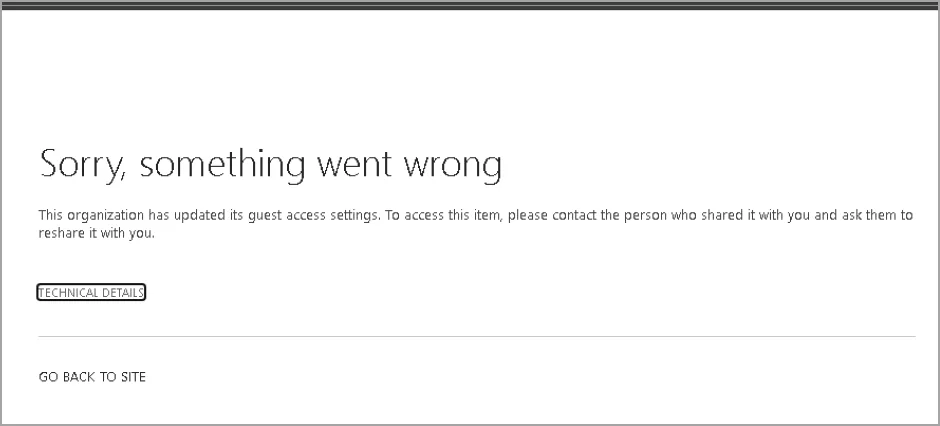
As of July 1, 2025, organisations using Entra ID B2B Collaboration with SharePoint Online and OneDrive will see a major shift: all sharing links for files, folders, or sites created before enabling the integration will stop working. This applies to links generated via the outdated OTP authentication method. To restore access, authorised users must re-share content with external collaborators, who will then authenticate through Entra ID B2B guest accounts, complete with mandatory Multi-Factor Authentication (MFA).
Key Changes
- OTP Links Invalidated: Pre-existing sharing links for SharePoint and OneDrive content created before Entra ID B2B integration will become inaccessible.
- Re-sharing Required: Affected content must be re-shared to generate new links backed by Entra ID B2B.
- Mandatory MFA: External users must register for MFA as part of the Entra ID B2B authentication process.
- No Change to Sharing Process: The process for sharing remains the same; only legacy OTP links are affected.
- Scope: This change applies to organisations with Entra ID B2B integration enabled for SharePoint and OneDrive.
This move phases out the less secure OTP method, aligning external sharing with Entra ID’s robust, governed framework.
Why Is Microsoft Dropping OTP?
Microsoft’s decision to eliminate OTP authentication, as outlined in MC1089315, aims to bolster security and standardise collaboration across Microsoft 365. By integrating SharePoint Online and OneDrive with Entra ID B2B, organisations gain centralised control over external users through guest accounts. This enables enforcement of security policies like Multi-Factor Authentication (MFA), conditional access, and cross-tenant access settings, reducing risks from OTP’s less secure temporary codes. The change also aligns SharePoint with other Microsoft 365 services, like Teams, which already use Entra ID B2B for external collaboration.
What Does This Mean for Your Organisation?
The July 1, 2025, deadline could disrupt external collaboration if not addressed. Here’s what to expect:
- Access Interruptions: External users will lose access to content shared via SPO OTP links, created before the Entra B2B integration, potentially halting collaborative workflows. To restore access, users must re-share the file, folder, or site with the intended external collaborators. If the original sender is unavailable or lacks permission, another authorised user must re-share the content. Fortunately, no changes are required to the sharing process—users can continue to share content as they always have.
- Administrative Overhead: Identifying and re-sharing affected content may require significant effort, especially for organisations with extensive external sharing.
- Communication Needs: Employees and external partners need clear communication to avoid confusion during the transition.
- MFA Adoption: External users may face a learning curve when registering for Multi-Factor Authentication (MFA), which could delay access.
How to Prepare for the Transition
To ensure a smooth shift before July 1, 2025, follow these steps:
- Inform Your Users:
- Notify employees who share content externally about the upcoming change, referencing MC1089315 for clarity. Inform users who collaborate externally that previously shared links will no longer work after Entra B2B integration, and they must re-share content to restore access.
- Update internal documentation: Adjust training materials, helpdesk resources, and scripts to reflect this change.
- Alert external collaborators to expect re-invitations and MFA registration.
- Audit Affected Content:
- Use PowerShell or Microsoft 365 admin tools to identify sharing links created before Entra ID B2B integration.
- Prioritise sites, files, and folders shared via OTP with external users.
- Plan for Re-sharing:
- Ensure authorised users (or their replacements) have permissions to re-share content.
- Re-share affected content manually or automate the process with PowerShell for larger volumes.
- Plan for MFA:
- External users will be required to complete Multi-Factor Authentication (MFA) registration as part of the Entra ID B2B onboarding process. Ensure that external collaborators are aware of this requirement and provide guidance if needed.
- Test and Monitor:
- Test re-sharing with a small group of external users to validate access and MFA functionality.
- Use Entra ID audit logs to monitor guest account activity and ensure compliance.