As cyber-attacks grow more sophisticated and compliance pressures mount, UK businesses are placing greater emphasis on secure-by-default cloud environments. Microsoft’s new Baseline Security Mode (BSM) is emerging as one of the most practical ways to uplift a tenant’s security posture without complex configuration work or additional tooling.
But what does it actually do? And more importantly — can you rely on it as the foundation of your Microsoft 365 security strategy?
This guide breaks down the role of Baseline Security Mode, how it strengthens your environment, and where you’ll still need complementary controls.
What Baseline Security Mode Actually Is
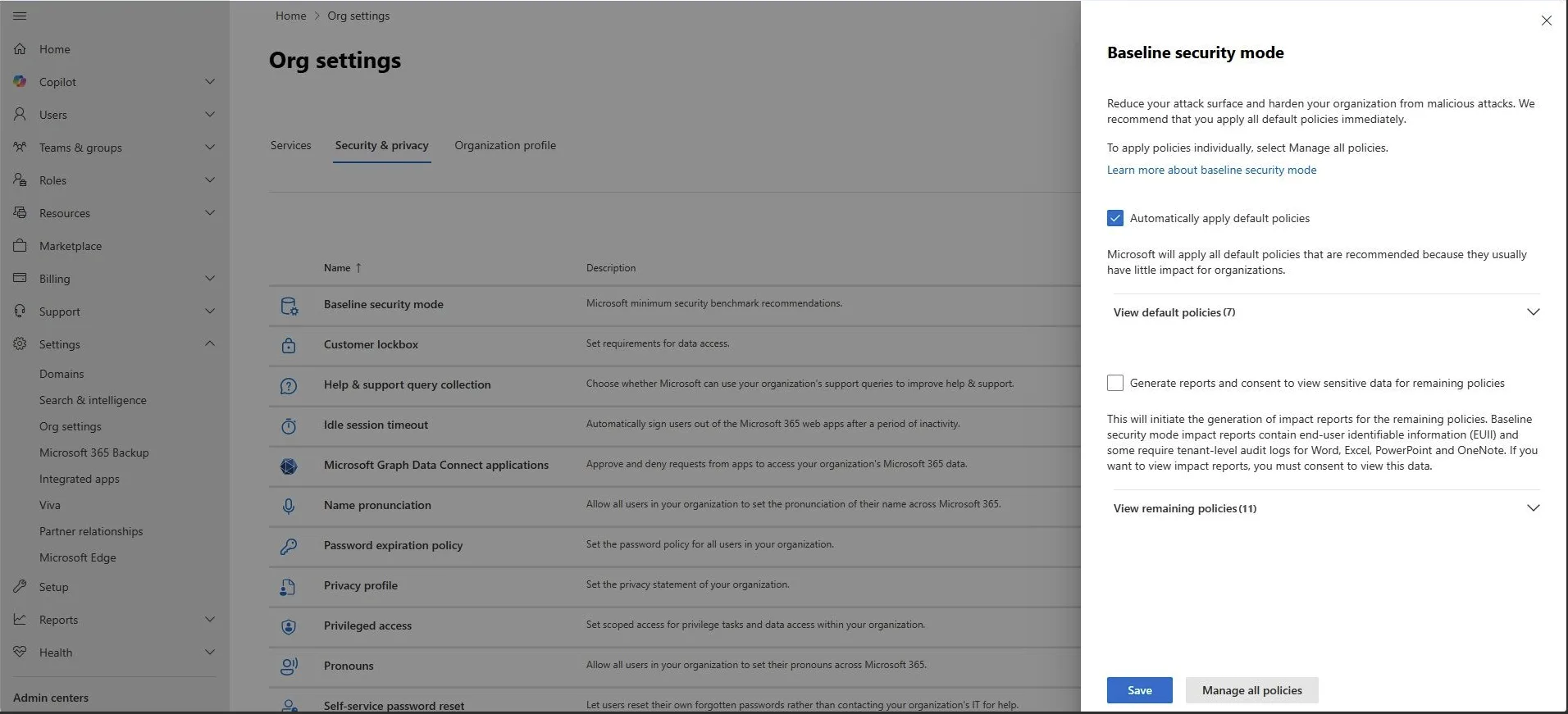
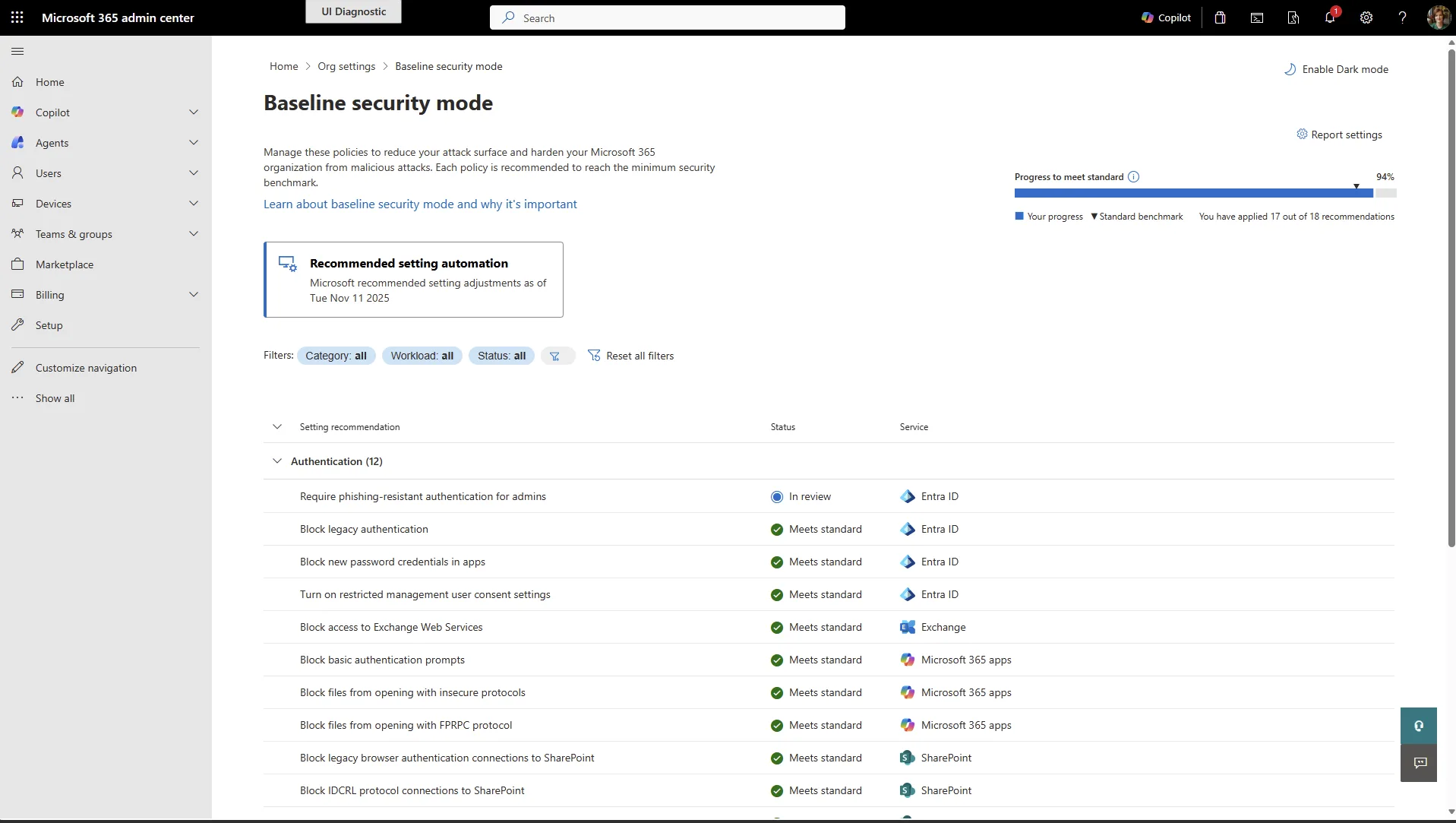
Think of Baseline Security Mode as a curated set of security recommendations built directly into Microsoft 365. Rather than hunting through various admin portals or writing custom scripts, administrators get a single place where Microsoft highlights—and optionally enforces—settings that meaningfully reduce risk.
Instead of enabling everything blindly, you can:
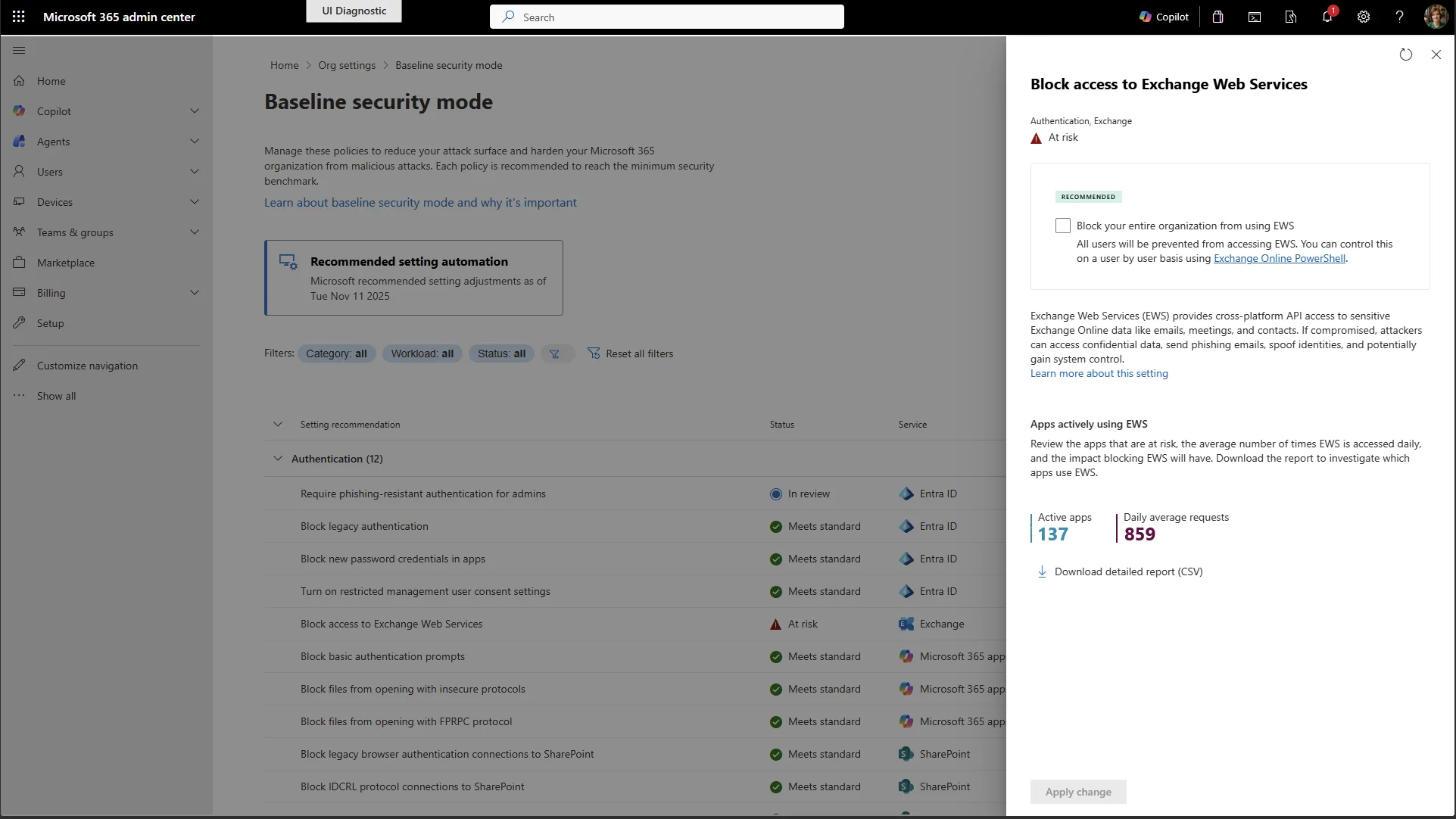
- review the impact of each control,
- simulate policy changes before enforcing them, and
- activate them selectively.
For many UK organisations, especially those working towards Cyber Essentials or similar baseline frameworks, this reduces the friction of implementing “obvious” hardening steps that often get postponed because of limited time or expertise.
Why Baseline Security Mode Matters
Baseline Security Mode isn’t a silver bullet—but it does address several problem areas that commonly lead to breaches:
1. Authentication Strengthening
Weak or legacy authentication is one of the biggest attack vectors. BSM pushes you to modern, phishing-resistant methods and helps eliminate outdated protocols that attackers still rely on.
2. Safer File Handling
File interactions across SharePoint, OneDrive and Office apps can expose your organisation to risk. BSM introduces restrictions on older formats, embedded content, and custom scripting — reducing opportunities for malicious content to spread.
3. Securing Meeting Room & Shared Devices
Devices like Teams Rooms hardware are frequently overlooked. BSM prevents these “special purpose” accounts from accessing files or performing actions they were never intended for.
These built-in protections bring meaningful uplift without major operational disruption.
The Real-World Benefits
From a business standpoint, Baseline Security Mode brings three particular advantages:
- Fast wins for busy IT teams
You gain improvements normally requiring detailed configuration across multiple portals. - Predictability
Because you can preview the impact, you avoid the common “switch-on-and-hope” situation. - No extra licensing cost
Ideal for SMEs that need stronger protection without paying for third-party tools.
Where Baseline Security Mode Falls Short
Although the uplift is valuable, BSM should be viewed as the groundwork—not the whole building.
Here’s where the limitations show:
- Coverage is intentionally narrow
It focuses on authentication, files, and room devices — not the full Microsoft 365 stack. - Not a compliance solution
It supports some control areas but won’t satisfy frameworks like CIS, NIST, or Cyber Essentials on its own. - Premium prerequisites still apply
Some recommended protections rely on higher-tier Entra ID licences. - No ongoing drift monitoring
Once you enforce a configuration, BSM won’t alert you if something later changes.
In short: it gives you a strong baseline, but you still need Secure Score, Purview, threat protection, and periodic audits to ensure a complete security posture.
How It Relates to Industry Benchmarks
Many organisations use CIS or NIST guidance as a north star. Baseline Security Mode aligns with some of the same principles — for example, modern authentication, safer file formats, and reduced attack surface — but Microsoft also includes tenant-specific protections that CIS doesn’t address.
Consider BSM a starting point for benchmark alignment, not a replacement for more detailed standards.
How It Compares to External Tools
Third-party solutions like CIPP or AvePoint provide multi-tenant management, automated compliance checks, reporting, and bulk administrative actions — things Baseline Security Mode intentionally doesn’t aim to do.
For single tenants, BSM is often enough to harden the essentials.
For MSPs or more complex environments, specialised tooling is still valuable.
Getting Started
To try it out:
- Go to the Microsoft 365 Admin Centre.
- Head to Settings → Org Settings → Security & Privacy.
- Open Baseline Security Mode and review available controls.
Start with non-disruptive items, use simulation to gauge impact, and then roll out changes gradually.