Tag: Security Best Practices
-

How to Enhance Microsoft 365 Auditing: Beyond the Unified Audit Log
Discover how to strengthen your Microsoft 365 auditing strategy in this practical guide. Learn the strengths and limitations of the Unified Audit Log (UAL) and explore actionable steps to go beyond its basics—using Audit (Premium), SIEM integration, PowerShell automation, and more. Perfect for IT professionals aiming to boost security and compliance with advanced auditing techniques.…
-

Master SharePoint Version History: Your Ultimate Guide to Limits, Storage, and Security
Take control of SharePoint version history! This guide shows you how to set limits, cut storage (e.g., 1TB to 106GB), and enhance security for NIS2 compliance with easy steps and PowerShell tips. Optimize your site now—read on!
-

Implementing Microsoft Defender for Cloud: Mastering Server Protection with Defender for Servers
Discover how to implement Microsoft Defender for Cloud’s dedicated Defender for Servers plan to secure your server workloads across on-premises, hybrid, and multi-cloud environments. This guide explains why Defender for Cloud is the superior choice over Defender for Endpoint for server security, offering advanced threat detection, compliance monitoring, and streamlined management. Follow our step-by-step instructions…
-

Maximising Security and Performance with Microsoft Defender Antivirus and Intel TDT
In an era where sophisticated cyber threats and performance demands converge, Microsoft Defender Antivirus (MDAV) rises to the challenge with advanced hardware acceleration. By integrating Intel Threat Detection Technology (TDT), MDAV enhances endpoint protection while maintaining efficiency. Features like Accelerated Memory Scanning and Cryptojacking Detection offload resource-intensive tasks to the GPU, ensuring robust security without…
-

Key Updates to OneDrive Retention Policies: What You Need to Know
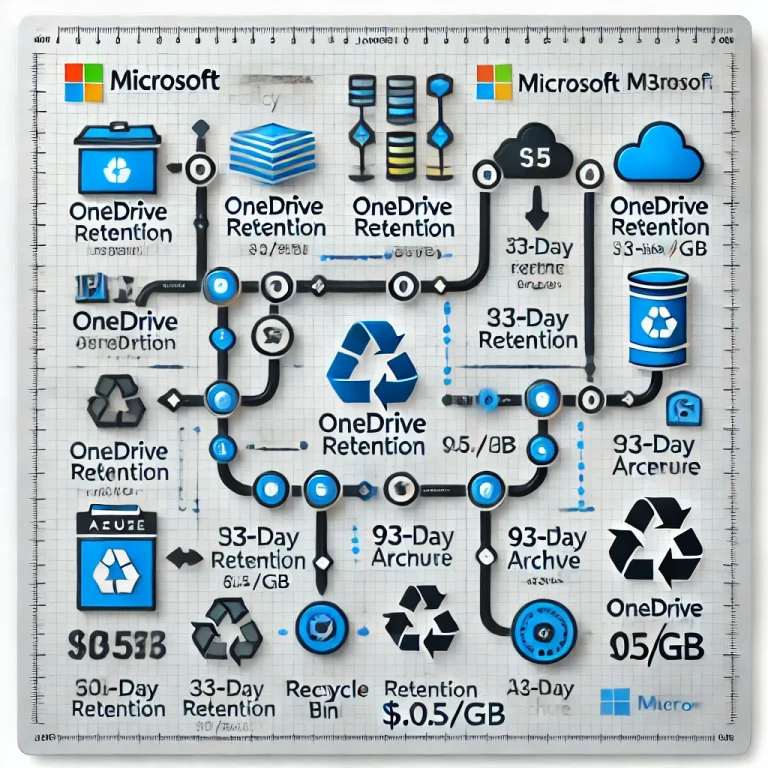
Microsoft is updating OneDrive retention policies starting 27 January 2025, offering organisations more flexibility while addressing compliance needs and storage concerns. Learn what’s changing, why, and how to prepare
-

Automate Your Onboarding and Offboarding in 15 Minutes with Entra Identity Governance
Onboarding and offboarding employees manually can lead to errors, delays, and compliance risks. With Microsoft Entra Identity Governance, you can automate these processes in just 15 minutes—no scripting required. Discover how to streamline user lifecycle management, enhance security, and maintain compliance with Entra’s powerful workflows and customisable extensions. Perfect for organisations looking to save time,…
-

Why Password Policies Matter and How Often to Update Them
In today’s digital age, securing online accounts goes beyond just choosing a strong password. Frequent password changes, once seen as a key security measure, may actually do more harm than good. This blog explores the latest insights from NIST and Microsoft, highlighting why password policies should focus on long, complex passwords and multi-factor authentication (MFA)…
-

Microsoft 365 DSC: Automate, Configure, and Monitor Like a Pro
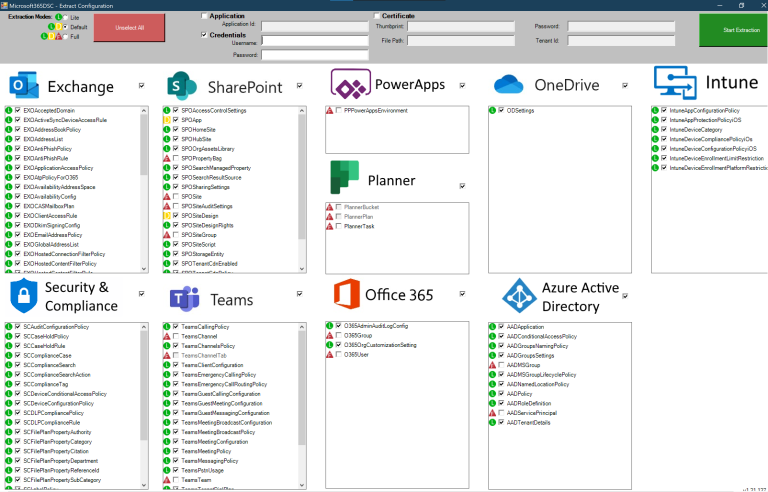
Discover how Microsoft 365 Desired State Configuration (DSC) empowers IT professionals to automate, monitor, and maintain tenant configurations with ease. This blog dives into the benefits of DSC, including drift prevention and multi-tenant synchronization, while providing a step-by-step guide for deployment. Learn from real-life examples covering Exchange Online, Intune, and Entra, and explore additional resources…
-

A Practical Guide to Cyber Security Acronyms
Navigating the world of cybersecurity can feel like learning a new language, with acronyms and jargon around every corner. From tools like SIEM (Security Information and Event Management) and WAF (Web Application Firewall) to frameworks like NIST (National Institute of Standards and Technology) and certifications such as CISSP (Certified Information Systems Security Professional), understanding these…
-

Comprehensive Guide to Setting Up Microsoft Entra Global Secure Access (GSA) with Internet Access, Licensing, and Key Differences with SSE
Learn how to implement Microsoft Entra Global Secure Access (GSA) for secure internet access. This step-by-step guide covers everything from activating GSA for your tenant to configuring web content filtering, security profiles, and conditional access policies. Understand the key differences between GSA and Security Service Edge (SSE) and how to improve your organisation’s security posture.…